This authentication method is still supported by Imagicle UCX Suite, even if it will be deprecated my Microsoft by October 1st 2026. It relays on EWS-based OAuth2 authentication against MS Office 365 calendar service.
Requirements
To enable Microsoft Calendar Integration using EWS-based OAuth2 authentication, you must configure an application on Azure Web Portal, taking note of Application ID and Directory ID, needed later on while configuring this authentication method on Imagicle UCX Suite. Please read the following procedure to create a new application on Azure portal.
Azure web portal configurations
Please access to Azure portal and go to "App Registrations"
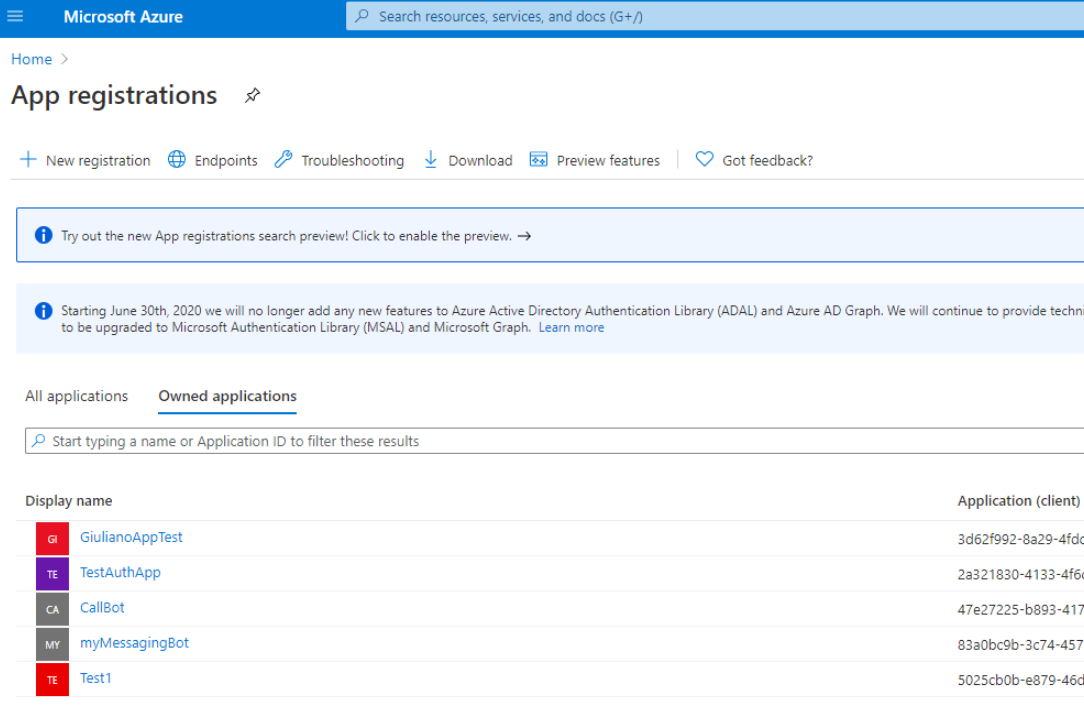
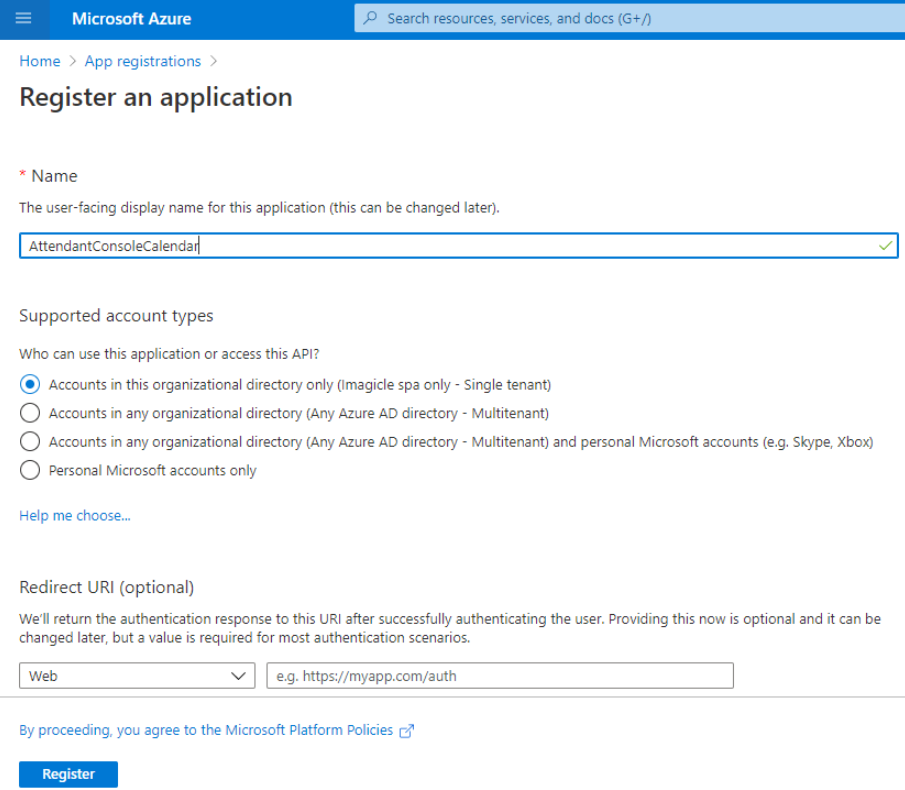
Click on "New registration" and choose a name like "AttendantConsoleCalendar". Then select "Accounts in this organizational directory only" and hit "Register"
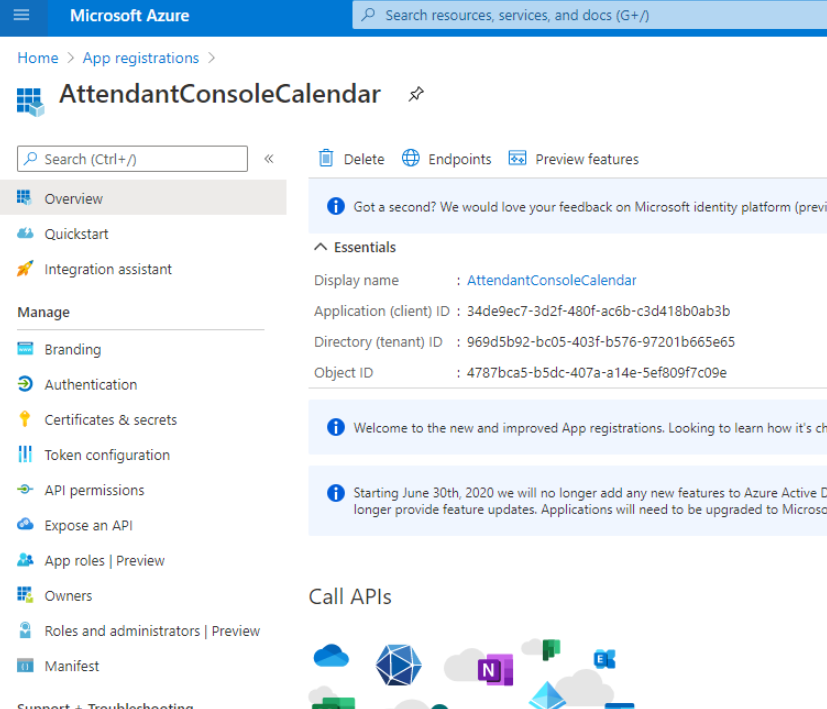
The following window appears, including Application ID and Directory ID. Please copy both data, for later usage.
Now access on "API permission" section and click on "Add permissions". Please select "API’s my organization users" and search for "Office 365 Exchange online".
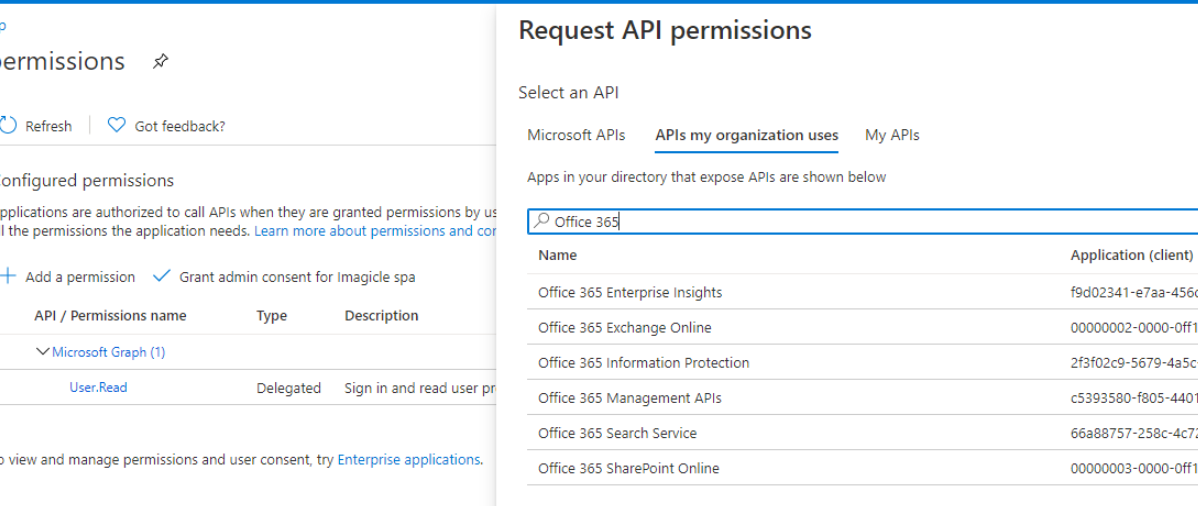
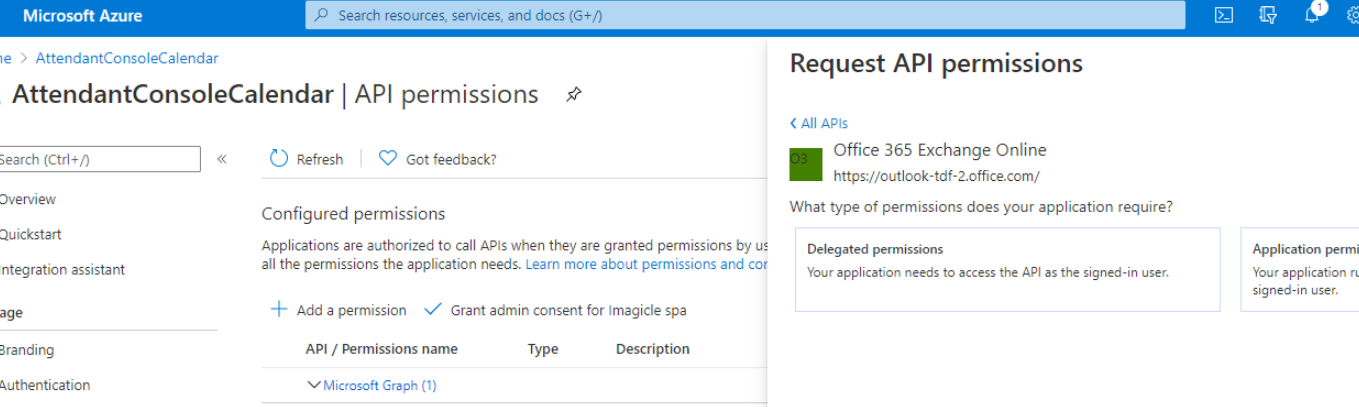
Select "Office 365 Exchange online" and then select "Delegated Permissions"
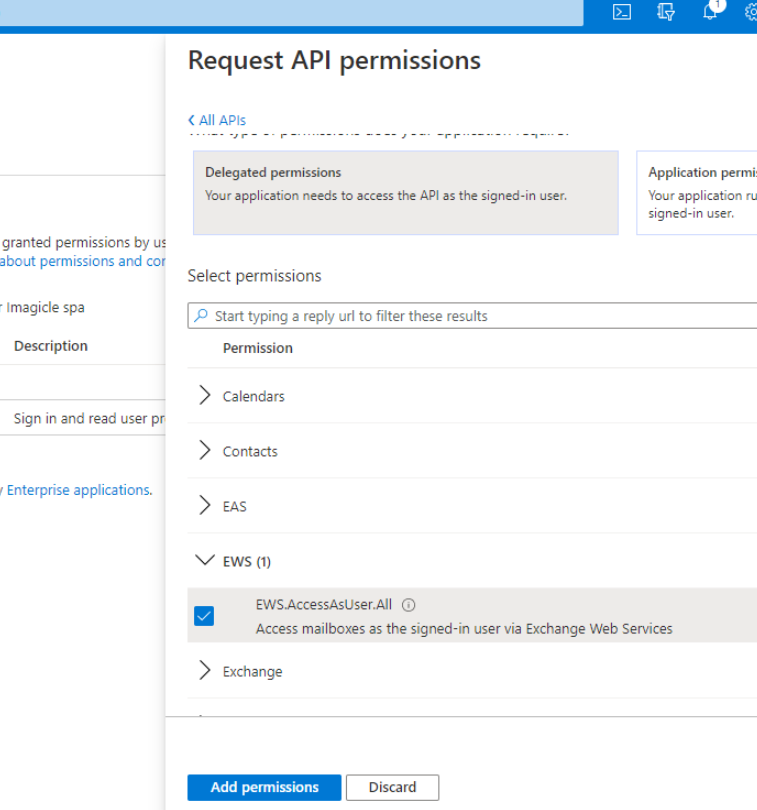
Please flag “EWS.AccessAsUser.All” and then click on “Add permissions”
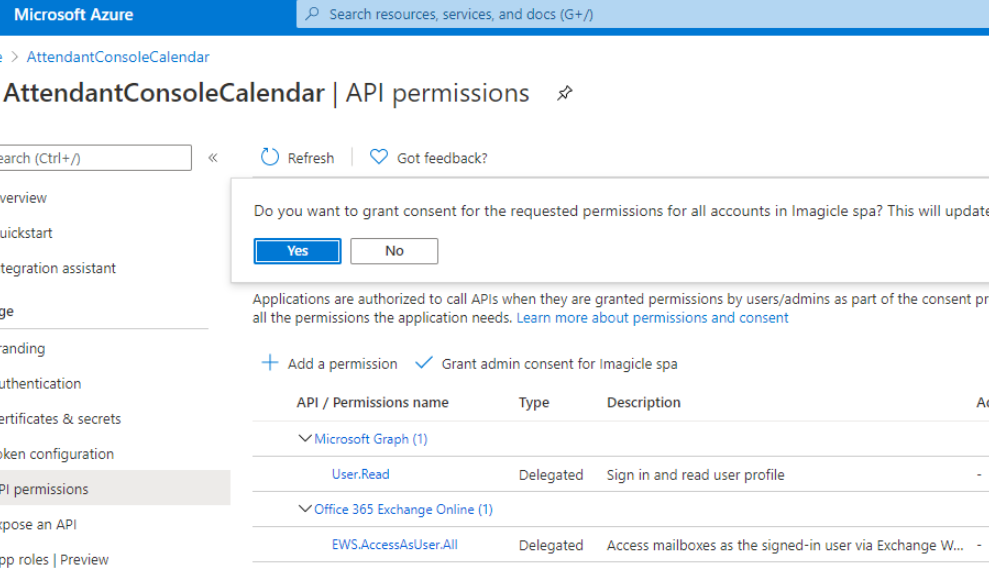
Once permission has been assigned, you must authorize it for your organization, by clicking on "Grant admin consent for <company_name>". Then hit "Yes" on confirmation dialog.
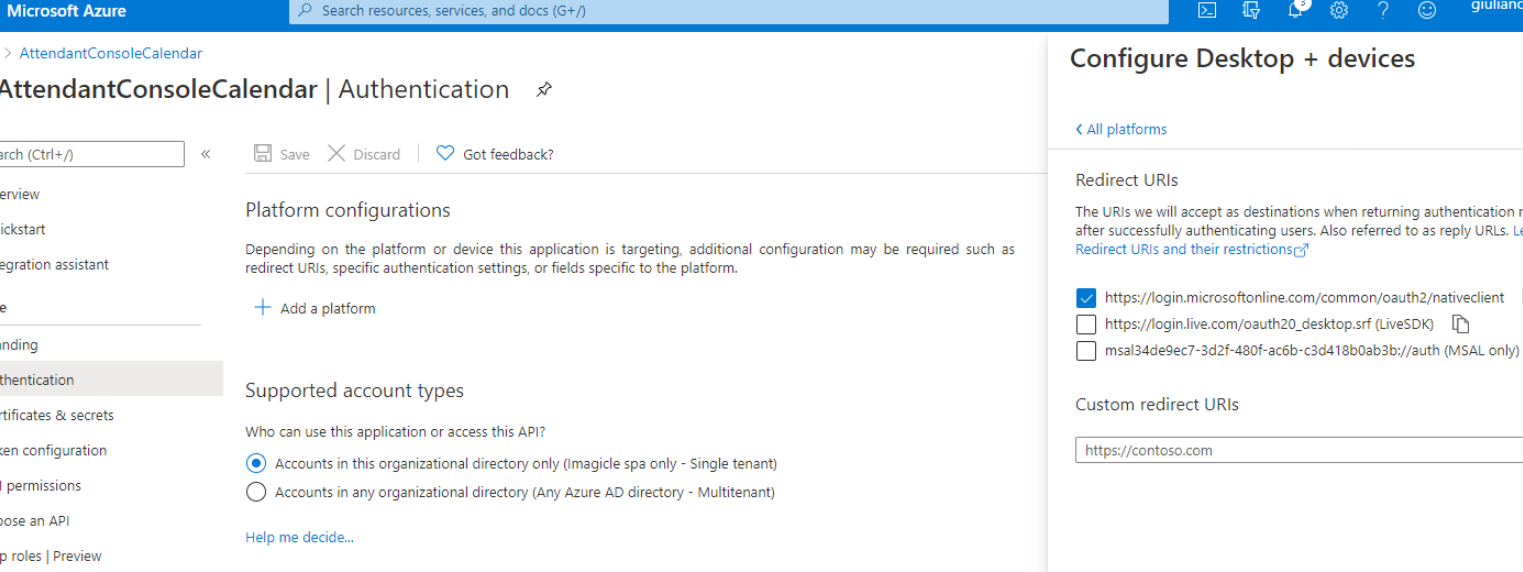
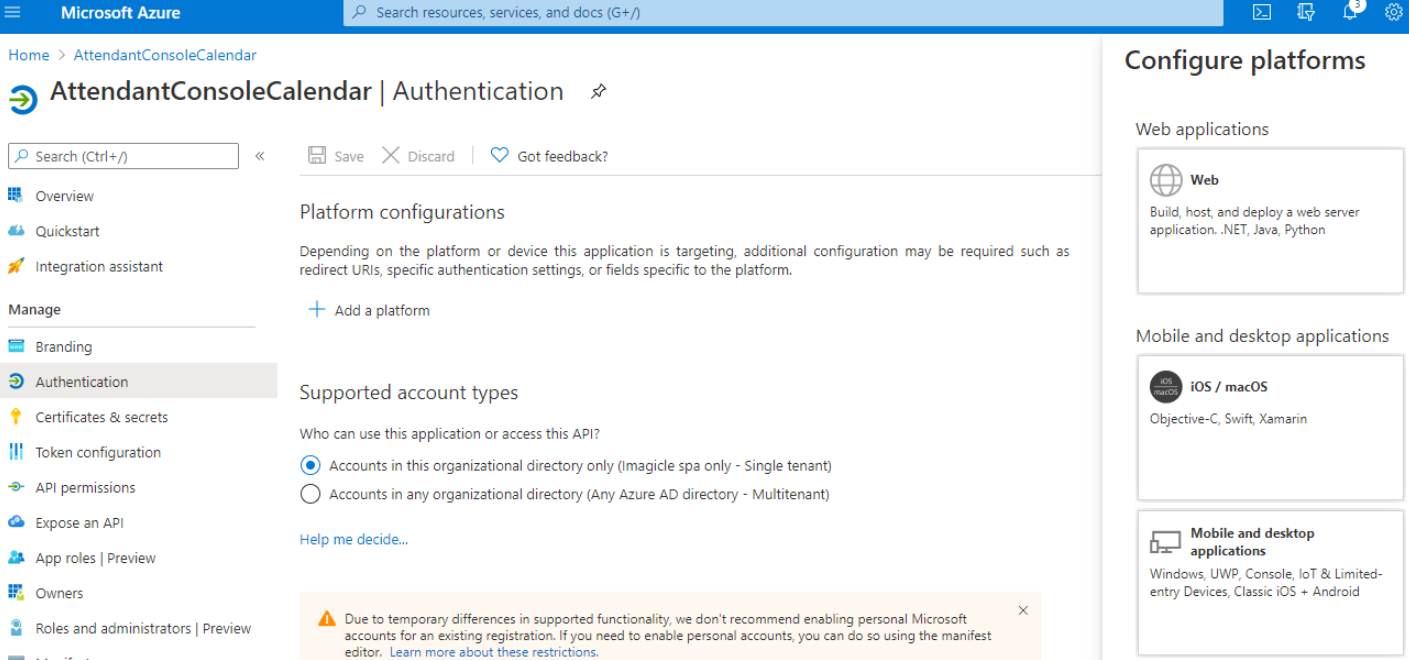
Now access to “Authentication” section, click on “Add a platform” and then click on “Mobile and desktop application”:
Please flag the first URL option and then click on “Configure”: