
If you are leveraging an Imagicle UCX on-prem or Cloud Suite version Summer 2025 or below, please ignore this KB article and go to the old Calendar Integration KB.
Imagicle UCX Console can display real-time Microsoft Calendar information into its "Colleagues" tab, including scheduled appointments for the current day. Calendar information can be retrieved from an on-prem Microsoft Exchange server, version 2007 SP1 and above, or from cloud-based Microsoft 365 service.
The connection to on-prem Microsoft Exchange Calendar leverages deprecated EWS authentication, still supported in this Imagicle release for existing customers.
The connection to Microsoft 365 Calendar Cloud service now supports Graph API-based OAuth2 secure authentication method.
Both methods are described in below paragraphs.
UCX Suite configurations
Please access to Imagicle web portal as administrator and go to UCX Console ⇒ Application Settings ⇒ Calendar Integration Settings.
If your UCX Suite is interfaced to multiple Microsoft Tenants, please bear in mind that Calendar integration is available for a single Tenant only.
Microsoft Exchange
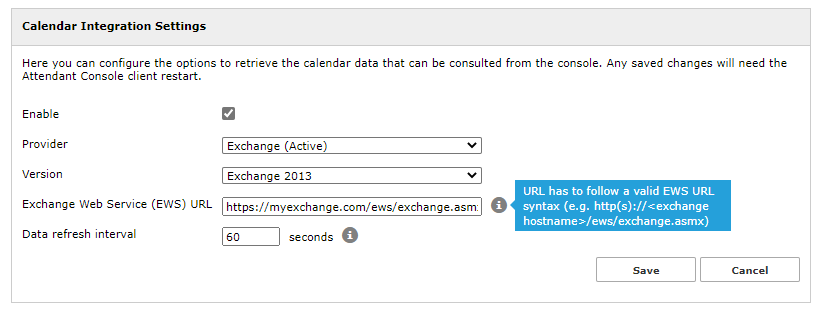
Please populate the following fields:
-
Provider: Exchange
-
Version: From Exchange 2007 SP1 up to 2013 SP1 or newer
-
EWS URL: Customer's EWS access URL (see below sample)
-
Data refresh interval: Interval in seconds between each calendar refresh. Do not set this parameter below 60 seconds, to avoid being banned by Microsoft.
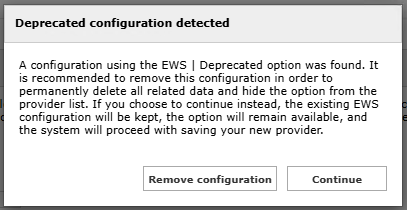
When you hit Save, the following pop-up appears, informing you that EWS is deprecated and asking if you wish to Continue with this method or Remove configuration and change to new one:
Microsoft 365
Please populate the following fields:
-
Provider: Microsoft 365
-
Application (client) ID: This is the client ID retrieved from Azure App Registration
-
Directory (tenant) ID: This is the tenant ID retrieved from Azure App Registration
-
Client secret: This is the Secret value retrieved from Azure App Registration
-
Data refresh interval: Interval in seconds between each calendar refresh. Do not set this parameter below 60 seconds, to avoid being banned by Microsoft.
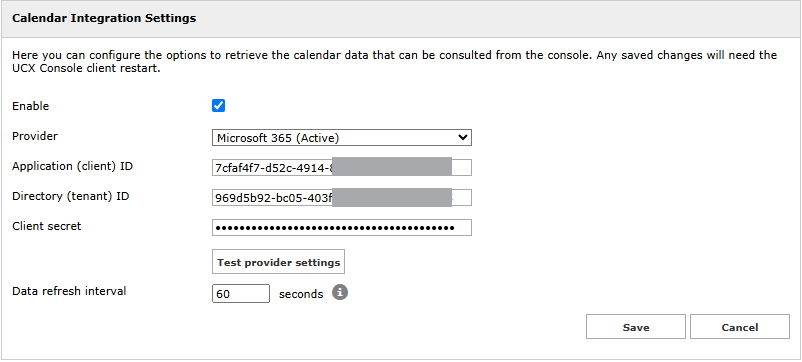
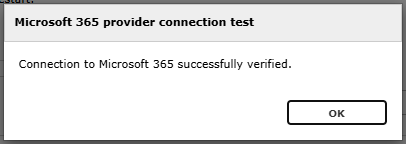
Once saved, the configuration can be tested on the fly by hitting the “Test provider setting” button. This is the expected test result:
To enable this feature on UCX Console client, please refer to our user's guides, available to download from here.
The Calendar integration leverages the Email field included in each UCX Suite user. If the Email field is not populated, we can’t query user’s calendar.
Troubleshooting
It might happen that the Microsoft account configured in Imagicle UCX Console to retrieve presence returns an error, due to the following possible reasons:
-
The Microsoft account has a policy which does not allows too frequent calendar refreshes.
-
Someone has changed the account password, so entered credentials are invalid.
-
Someone changes account credentials while Attendant Console is running.
In all above cases, the Microsoft account is locked within few seconds and you get the following error message on UCX Console:
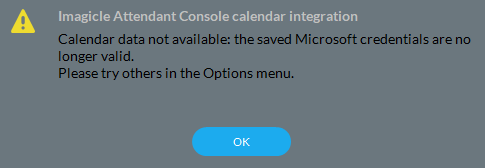
More info about this problem are available in UCX Console logs, stored inside operator's PC workstation. This is the file to consult:
C:\Users\<user name>\Documents\Imagicle Blue's Attendant\Logs\ApplicationLogFile.txt