
Compliance and AI Quality Recording CORE and PRO
Providing your UCX Platform is equipped with a Compliance and AI Quality Recording CORE or PRO license, either based on channels or users, you can access the left-menu panel Settings 
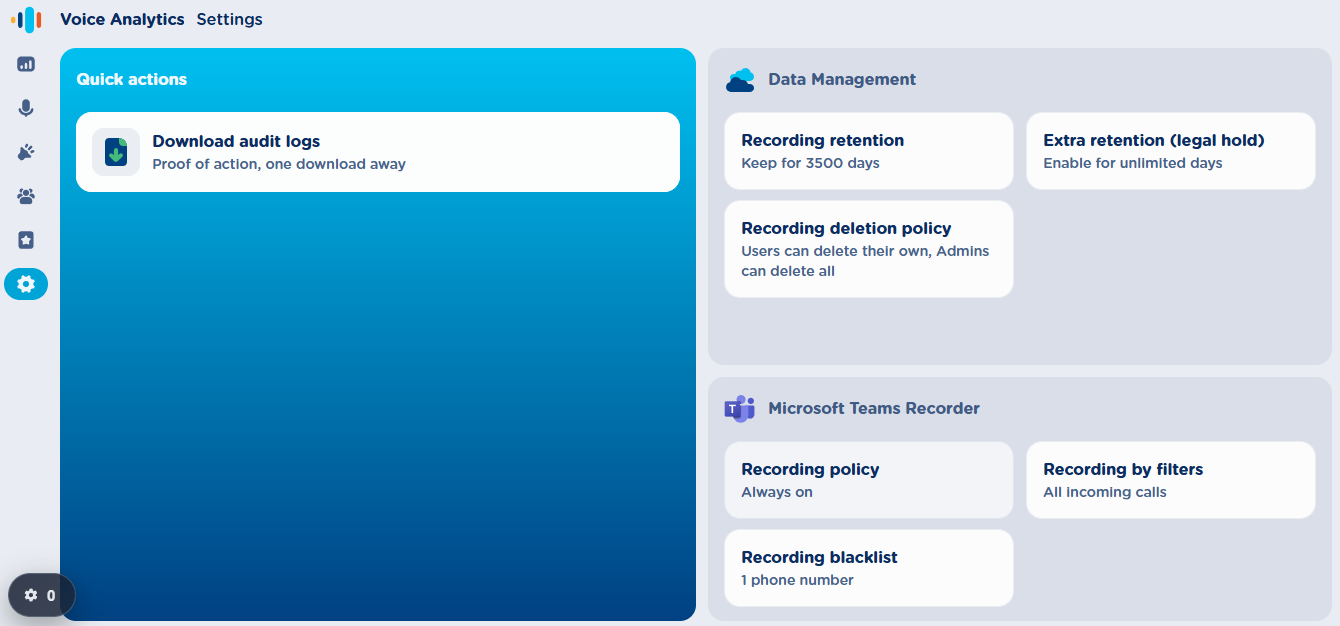
Download audit logs
Audit Logs feature collects and stores detailed information about key actions performed by user and administrators, including timestamps, user identity, IP address, application context, action type, and specific operation details.
All above actions are stored in a CSV file with format (text/csv), including the following columns:
|
Column |
Description |
|
Date |
UTC timestamp of the action ( |
|
|
User email address performing the action |
|
IpAddress |
Client’s IP address |
|
AppName |
The application where the event occurred (e.g. |
|
ActionType |
The specific event type (e.g., |
|
Details |
Additional descriptive info about the performed action (filters, IDs, etc.) |
Top CSV header line includes the field names:
Date,Email,IpAddress,AppName,ActionType,Details
Logged Actions
The Audit CSV file includes all the following action categories:
|
Area |
Example Actions |
|
User Access |
User’s login/logout of the UCX Platform; user changes their password. |
|
Voice Analytics (Dashboard) |
Admin or user views call statistics, explores call trends, checks overall sentiment, compares sentiment by user or party, or views user ranking dashboards. |
|
Recordings Management |
User searches or filters recordings, opens recording details, plays or downloads an audio/video file, or deletes a recording. |
|
Notes and Tags |
User adds, edits, or deletes notes linked to a recording; associates or removes tags from a recording. |
|
Alarms Management |
Admin creates a new alarm, updates alarm parameters (sentiment, keywords, etc.), reviews the alarm list, or deletes an existing alarm. |
|
Groups Management |
Admin creates, edits, or deletes user groups; modifies group membership or supervisors. |
|
Licensing & Platform Actions |
Admin grants or revokes Call Recording or Voice Analytics licenses; changes a user’s authentication method (SSO/password); sends user invitations to the platform. |
|
Audit Operations |
Admin downloads the audit CSV file for a selected time range. |
|
PII Redaction |
Admin enables/disables the feature or amends redaction rules. |
Time Format & Filters
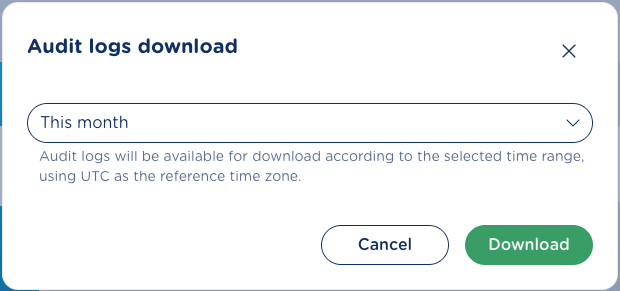
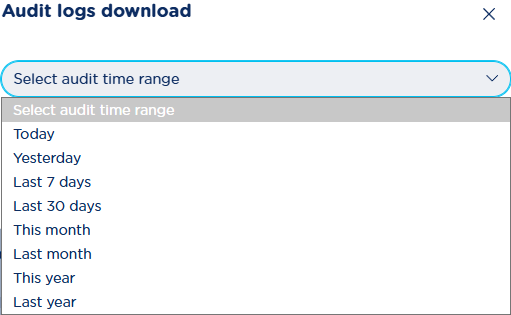
By hitting Download audit logs button, the admin can choose a time range to filter data before export.
All timestamps are represented in UTC.
Data Management
This panel includes several settings related to the recording storage, its retention period and required permissions to delete entries.
Recording retention
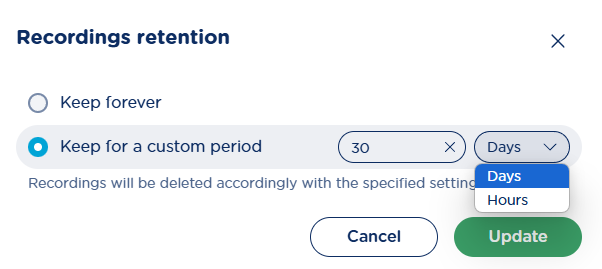
This section allows to setup the overall recordings retention period for all recording-enabled users. Typically, you can keep the default “Keep forever” value, because Imagicle provided unlimited storage within its Cloud. To adhere local regulations, you can set a maximum recording retention time in days or hours by clicking on relevant panel:
Extra retention (legal hold)
In this section, you can enable recordings tagging for an additional retention time. If you click on this panel, you can either disable the feature, enable it for an additional retention period in days or enable it for unlimited retention. See below sample:
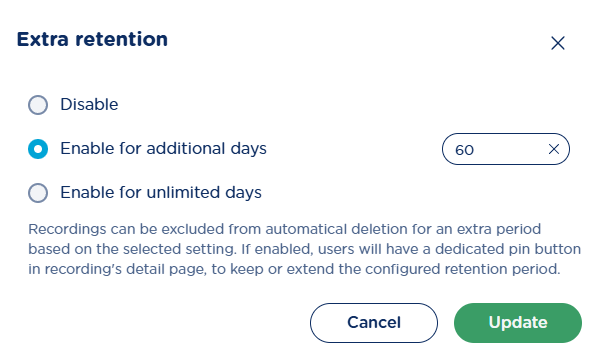
This rule is applied to those recordings which have been tagged by users for legal hold by hitting 

Recording deletion policy
This feature allows Call Recording administrators to define who can delete recordings within the application. At a glance, the subtitle beneath the card title shows who is currently allowed to delete recordings.
Clicking the card opens a pop-up window where administrator can review and update the recordings deletion policy.
There are two main choices: no one can delete recordings, or users can delete recordings.
Selecting No-one can delete recordings enables the row beneath it (otherwise disabled) that makes this choice irreversible. Once that option is applied, no user can manually delete recordings and no administrator can change the policy again; the only way to reverse it is by contacting the Imagicle Support.
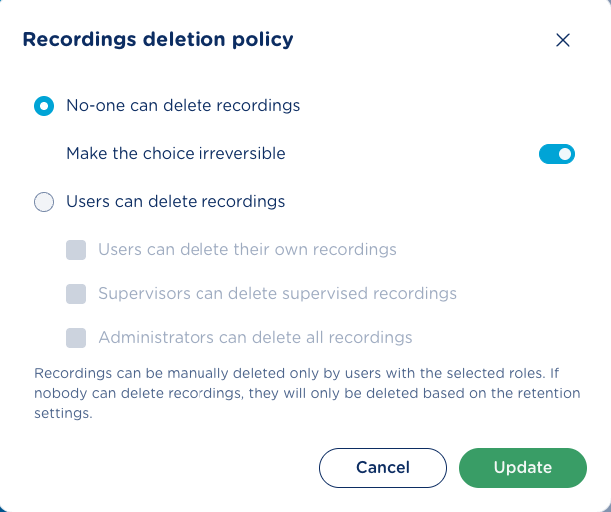
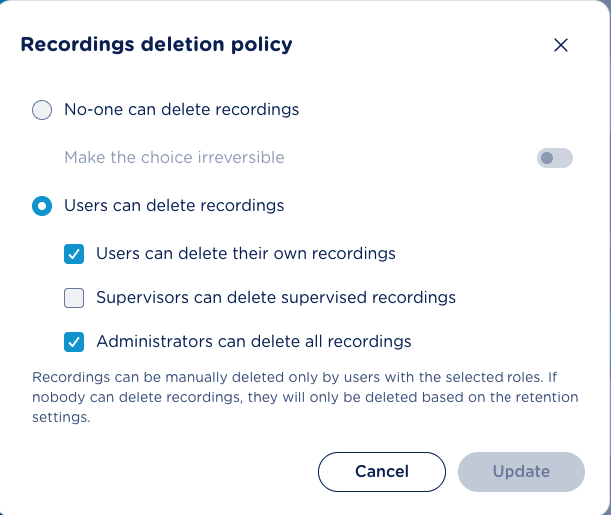
Selecting Users can delete recordings enables three checkboxes that define who may delete recordings. These scopes can be combined in any possible way, providing at least one is selected:
-
Users can delete their own recordings — each user may delete only own recordings.
-
Supervisors can delete supervised recordings — supervisor may delete recordings belonging to users in the group he supervises.
-
Administrators can delete all recordings — administrators may delete any recording in the organization.
By default, manual recording deletion is enabled with users and administrators can delete all selected recordings.
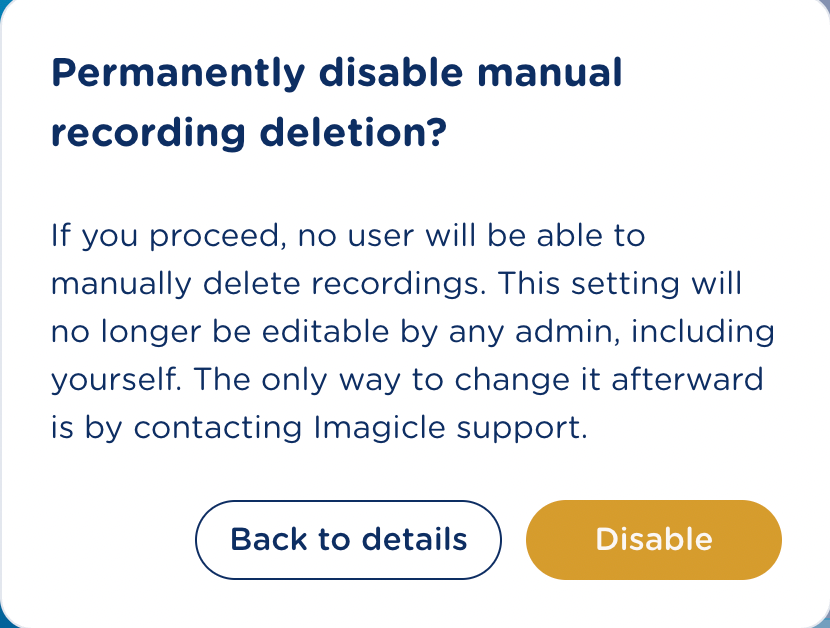
When the administrator chooses to disable manual deletion and confirms the update, a confirmation dialog is shown before the change is applied. If the irreversible option is also selected, a stronger confirmation dialog appears, warning that policy will become permanently locked and can only be changed afterward by contacting Imagicle Support.
From the confirmation dialog, Disable applies the change, while Back to details closes the confirmation and reopens the policy editor with the previous selected policies.
Once the policy is applied by admin, the user with a low permission level displays a grayed-out “trash” icon, not allowing to manually remove the recorded conversations.
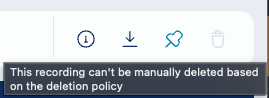
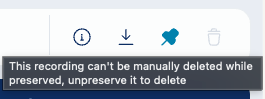
If a recording has been tagged for a longer retention (legal hold), it can’t be manually deleted.
Microsoft Teams Recorder
This section allows to setup the MS-Teams Call Recording scope, such us call direction and traffic type, and populate a black list of phone numbers NOT to be recorded.
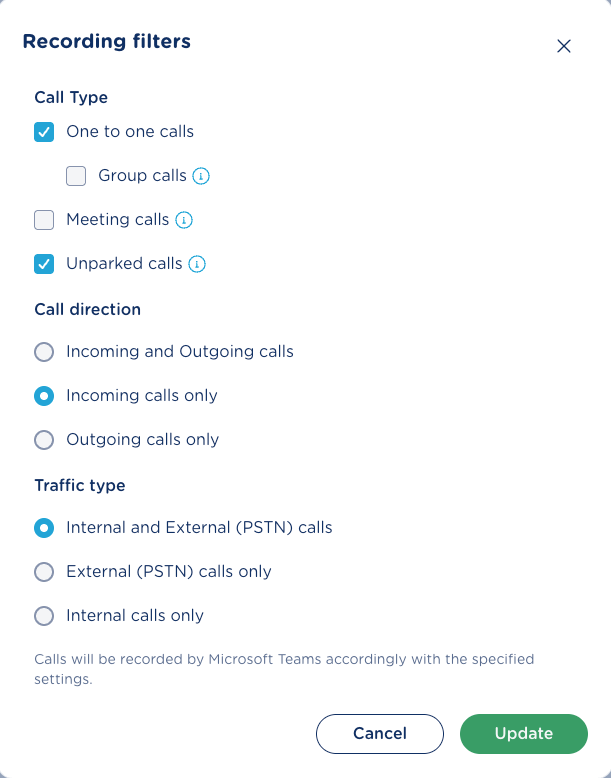
Recording filters
This panel enables administrator to decide which call types to be recorded at global level: Group/meeting and unparked calls, internal/external calls and inbound/outbound calls. See below:
Recording blacklist
This panel allows to populate a table with phone numbers/ranges that you wish to deny the recording. The application applies the blacklist rule to both calling party and called party numbers. See below:
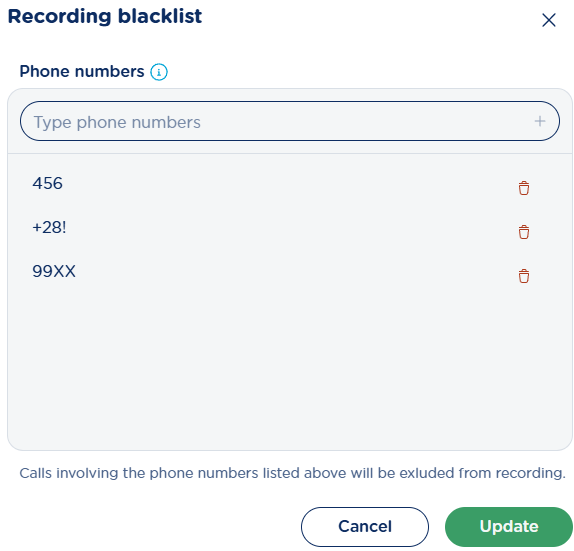
Special wildcard characters can be added in each phone number:
-
+can be used at the beginning to indicate an international prefix (e.g.+39!excludes all numbers starting with +39); -
*and#symbols, commonly used in telephone dialing; -
Xmatches any single digit (e.g.90XXexcludes all 4-digit numbers starting with 90); -
.matches any digit,*, or#(e.g.90..excludes numbers like 9012, 90*#, 901*); -
!matches any sequence of digits (e.g.9!excludes all numbers starting with 9);
Recording policy
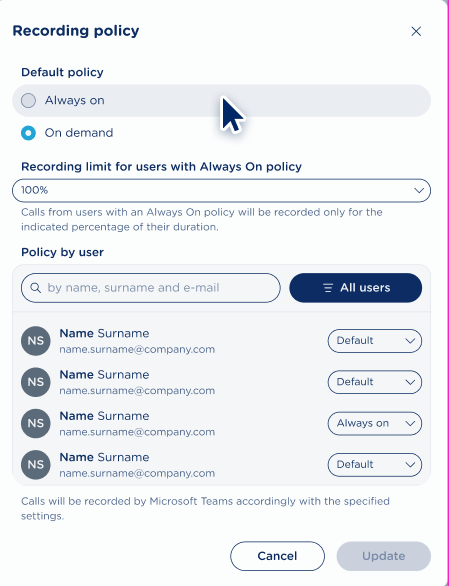
Recording policy defines whether recordings are automatic (always-on) or selective (on-demand).
The administrator can filter for the following value:
-
Default Policy:
-
Always on (default) → All user calls are automatically recorded;
-
On demand → Users can manually start/stop their recordings.
-
-
Recording limit for users with Always On policy - The administrator can choose a percentage value that determines what portion of calls will actually be recorded:
-
The available options range from 0% to 100% in increments of 5% (e.g., 0%, 5%, 10%, 15%, …, 100%)
-
The default value is 100%, meaning all calls for Always On users are recorded.
-
if 60% is applied, the system records 60% of the conversations of Always On users, including both those who inherit it through the default policy and those who have an explicit override set to Always On.
-
Policy by User – Administrator can override above default policy for individual licensed users, by selecting an override value from pull-down menu:
-
Default
-
Always on
-
On demand
-
The user list is searchable by name, surname, or email. Administrator can filter the list by all users or users with overridden policies.
Compliance and AI Quality Recording AI Insights Settings
Providing your UCX Platform is equipped with a Compliance and AI Quality Recording - AI Insights license, either based on channels or users, you can leverage the following additional settings, each described in the relevant KB section:
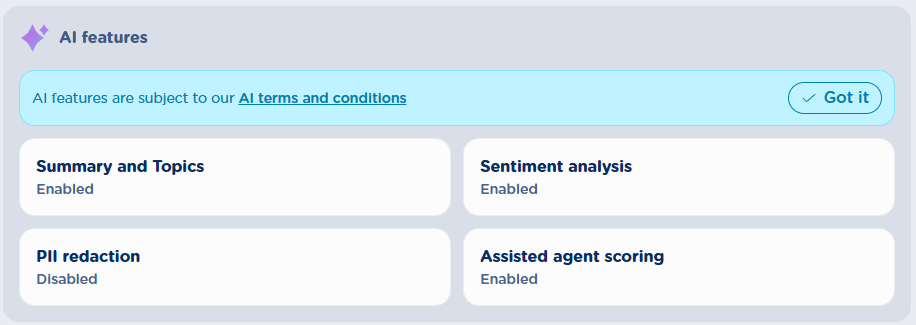
By default, new customers find all above AI features DISABLED. Please review the disclaimer on top of the panel and, before hiding it by hitting “Got it” button, read and acknowledge our official terms and conditions related to Imagicle usage of AI features coming from third party AI providers.