
How-to:
-
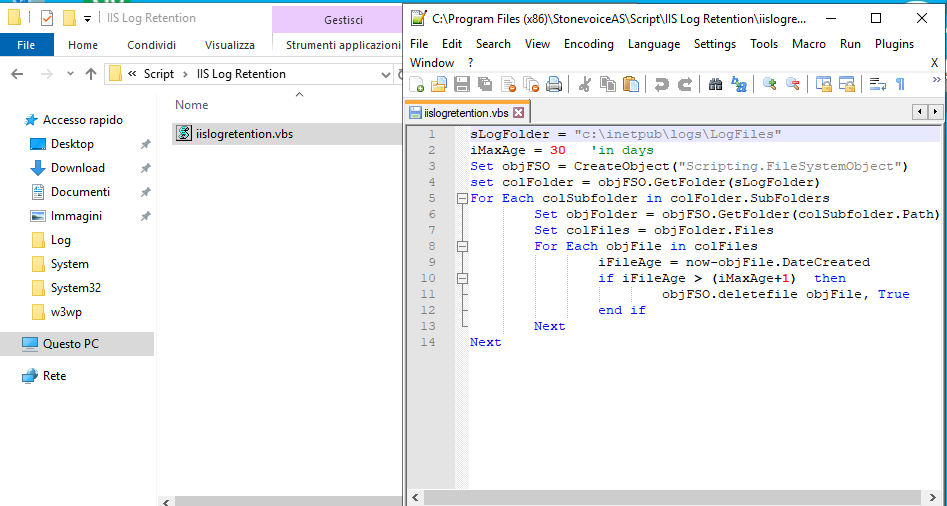
Create a new vbs script in a new folder (example C:\Program Files (x86)\StonevoiceAS\Script\IIS Log Retention\iislogretention.vbs)
-
Put this in the script file and change iMaxAge variable to the number of das you'd like to retain logs for.
sLogFolder = "C:\inetpub\logs\LogFiles\W3SVC1"
iMaxAge = 30   'in days
Set objFSO = CreateObject("Scripting.FileSystemObject")
set colFolder = objFSO.GetFolder(sLogFolder)
For Each colSubfolder in colFolder.SubFolders
        Set objFolder = objFSO.GetFolder(colSubfolder.Path)
        Set colFiles = objFolder.Files
        For Each objFile in colFiles
                iFileAge = now-objFile.DateCreated
                if iFileAge > (iMaxAge+1)  then
                        objFSO.deletefile objFile, True
                end if
        Next
Next
An example below:
-
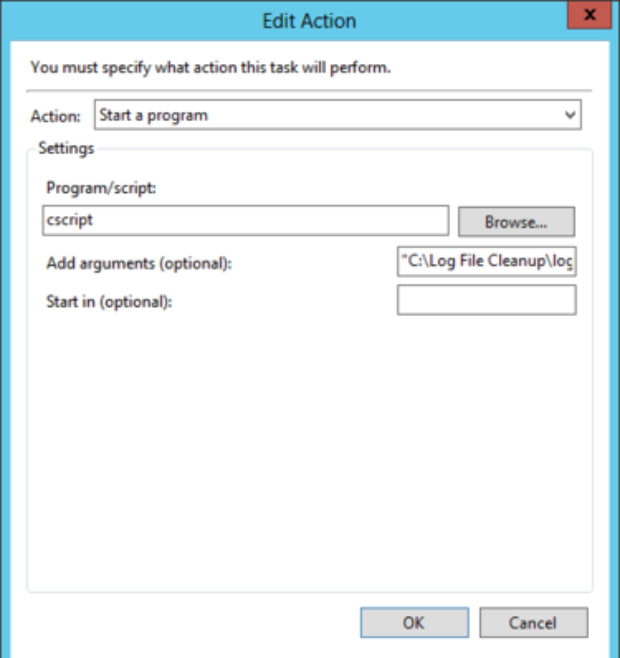
Set up a scheduled task to execute that scriptUsing the Windows Task Scheduler, create a new task and set the trigget to execute daily.Create new action that looks like the following:
Just add:
-
cscript in Program/script field
-
the path (example "C:\Program Files (x86)\StonevoiceAS\Script\IIS Log Retention\iislogretention.vbs") to your scipt file inside the arguments textbox.