As mentioned in our KB related to Application settings, Imagicle UCX Suite version Summer 2025 or older supports OAuth2 authentication based on Exchange Web Services (EWS). This protocol is deprecated by Microsoft for non-Microsoft apps to Exchange Online starting from October 1st, 2026.
That’s why we strongly suggest to update your on-prem UCX Suite instance to latest version prior to this deadline and lately amend your Azure Enterprise Application (App registration). See below the procedure for migrating the existing Azure App to new modern authentication.
Azure web portal configurations
Please access to Azure portal and go to "Enterprise Applications":
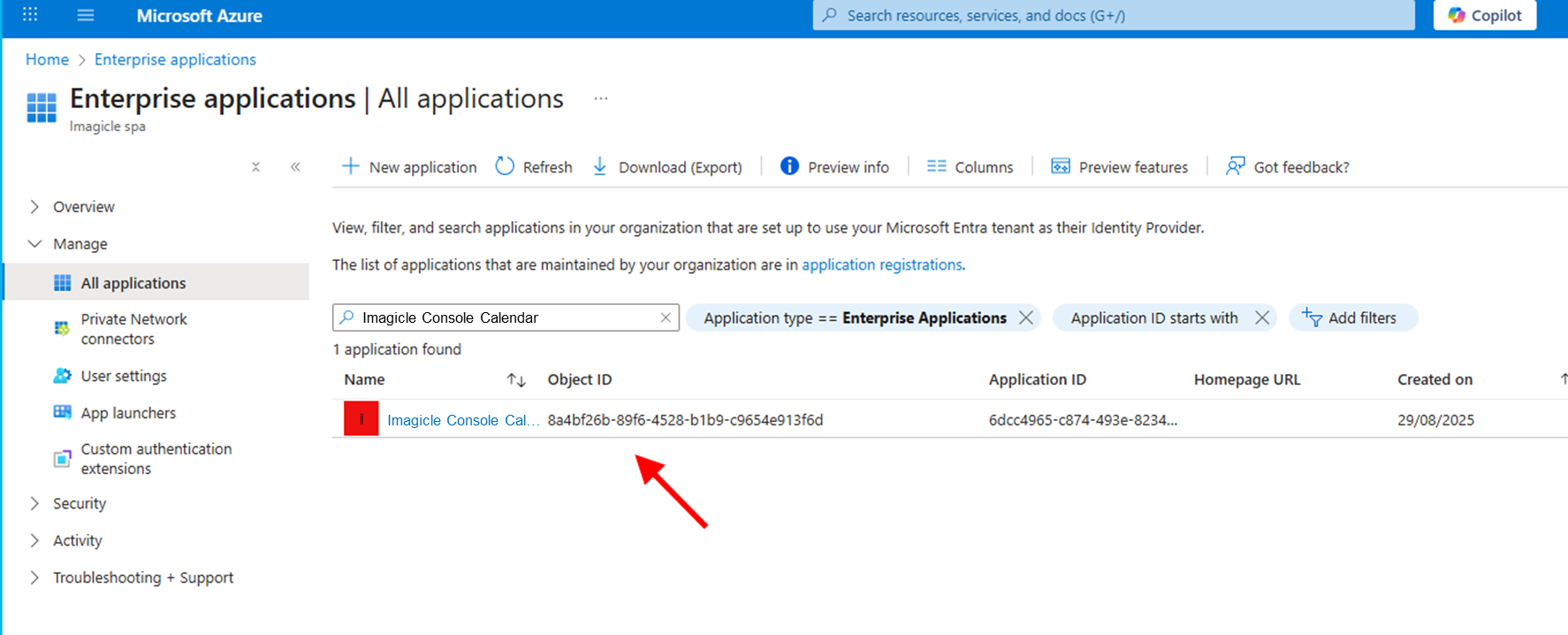
Locate “Imagicle Console Calendar” app (or the previously assigned name) and click on it to edit. From left menu panel, click on API Permissions:
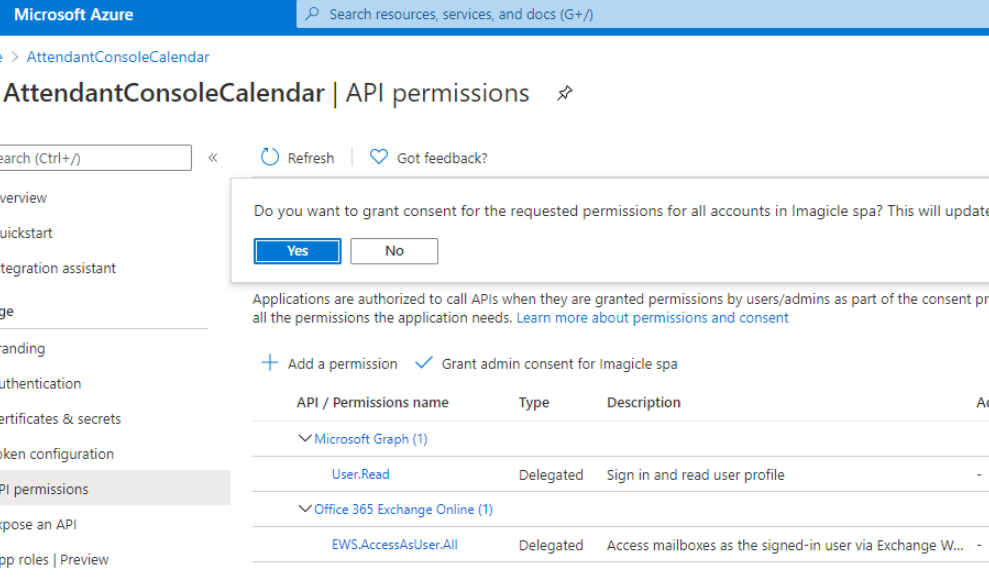
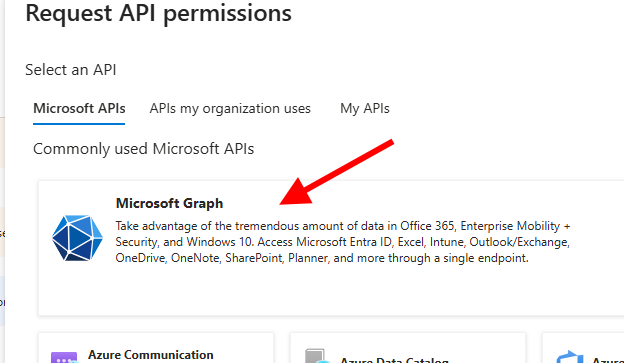
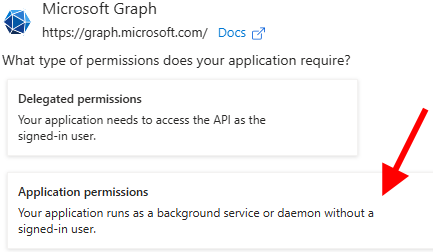
Please remove the existing EWS permission and add the new one by selecting Microsoft API’s → Microsoft Graph → Application permissions:
Search for “calendar” and flag Calendars.Read permission
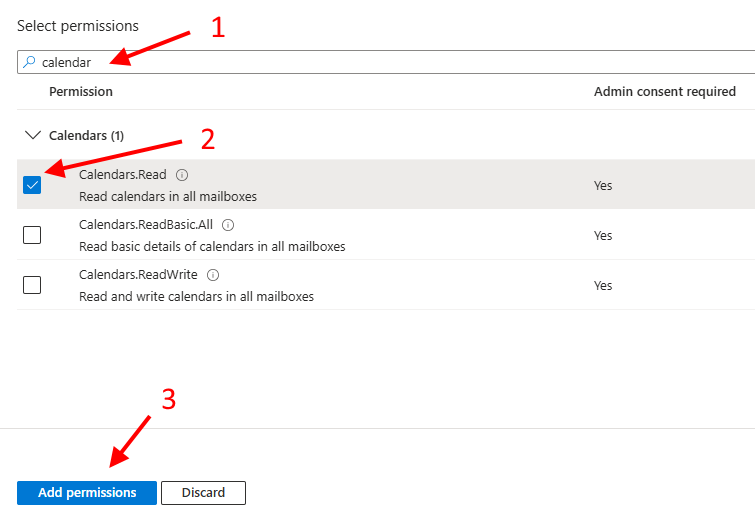
Once permission has been added, you must authorize it for your organization, by clicking on "Grant admin consent for <company_name>".
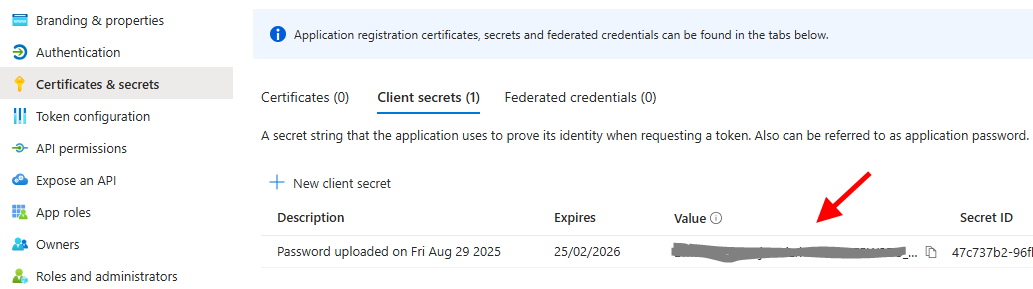
A new client secret must be issued too, by selecting “Certificates and secrets” → “New client secret”. See below:
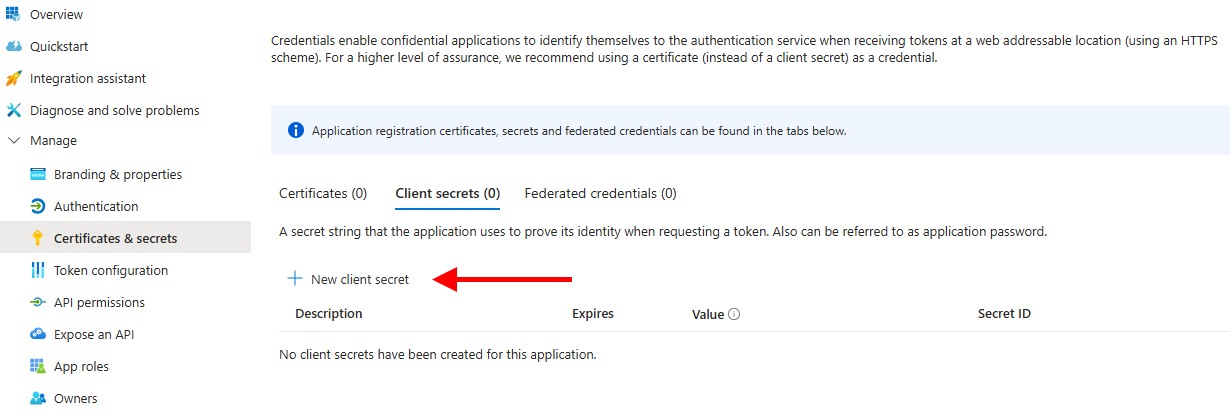
Do not forget to copy new Client Secret Value, once created, to be lately copied in UCX Suite web portal.