Overview
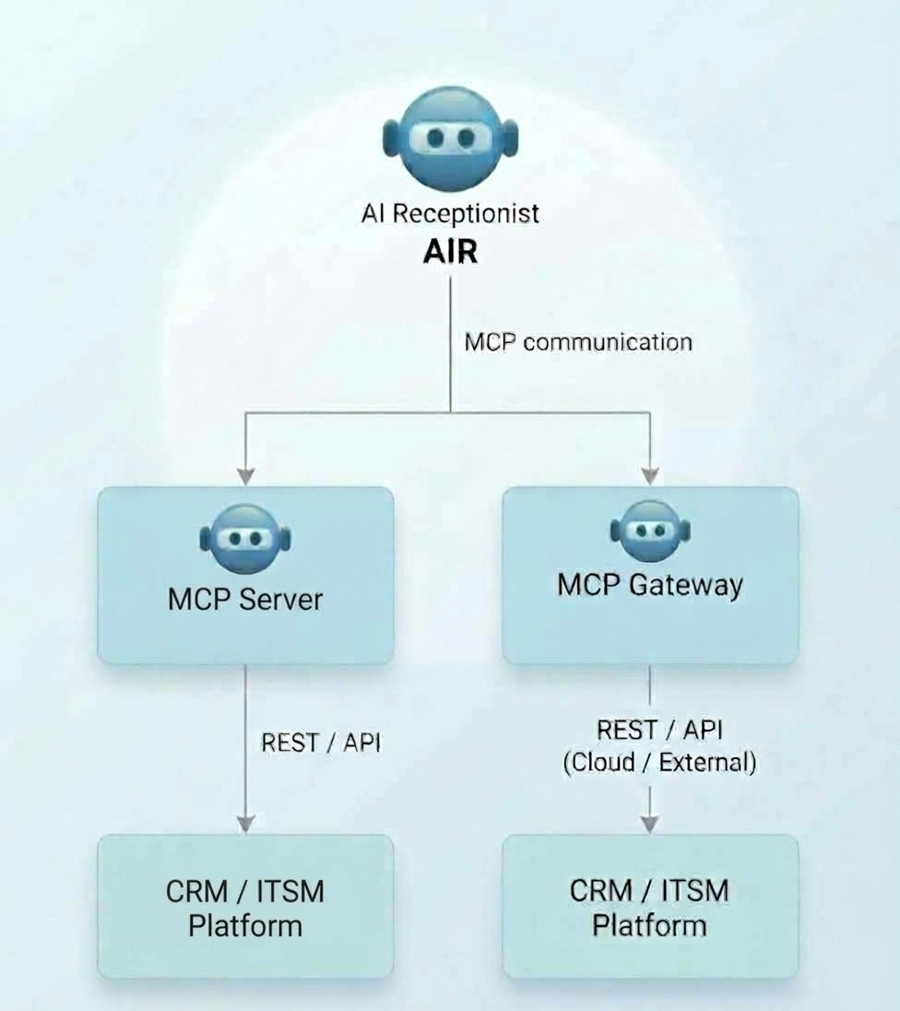
The AI Receptionist (AIR) connects to external CRM and ITSM platforms through the Model Context Protocol (MCP), so it can read and write customer or service data in real time during a phone call.
Two connection options exist, depending on the target platform:
-
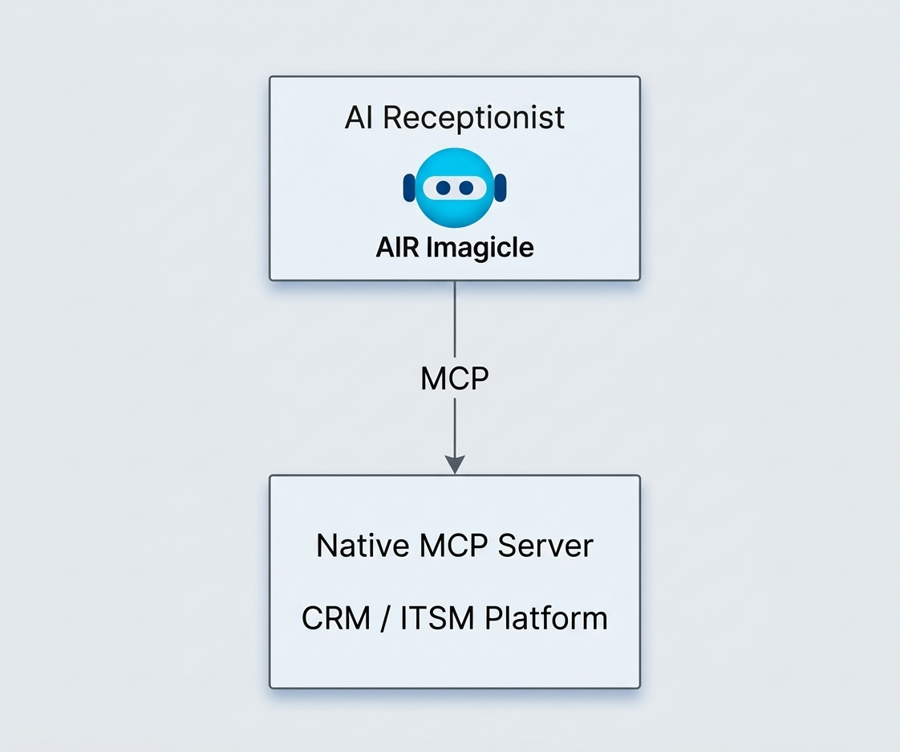
Native MCP Server – provided by the CRM/ITSM platform itself; AIR talks to it directly.
-
MCP Gateway – an intermediary that exposes MCP tools to AIR and translates them into the platform's REST/API calls.
Typical use cases: caller identification, customer/account/contact lookup, case or incident lookup, record search and status, record update and creation, and automated CRM/ITSM workflows. What AIR can actually do depends on the MCP tools exposed by the customer environment.
Integration architectures and requirements
Native MCP integration. When the CRM/ITSM platform ships its own MCP Server, AIR calls the MCP endpoint directly and invokes the tools the platform exposes.
MCP Gateway integration. When there is no native MCP endpoint, a gateway exposes MCP tools to AIR and translates each tool call into the platform's API request. It acts as an abstraction layer between AIR and the business application (e.g. ServiceNow, Zendesk, Salesforce, HubSpot).
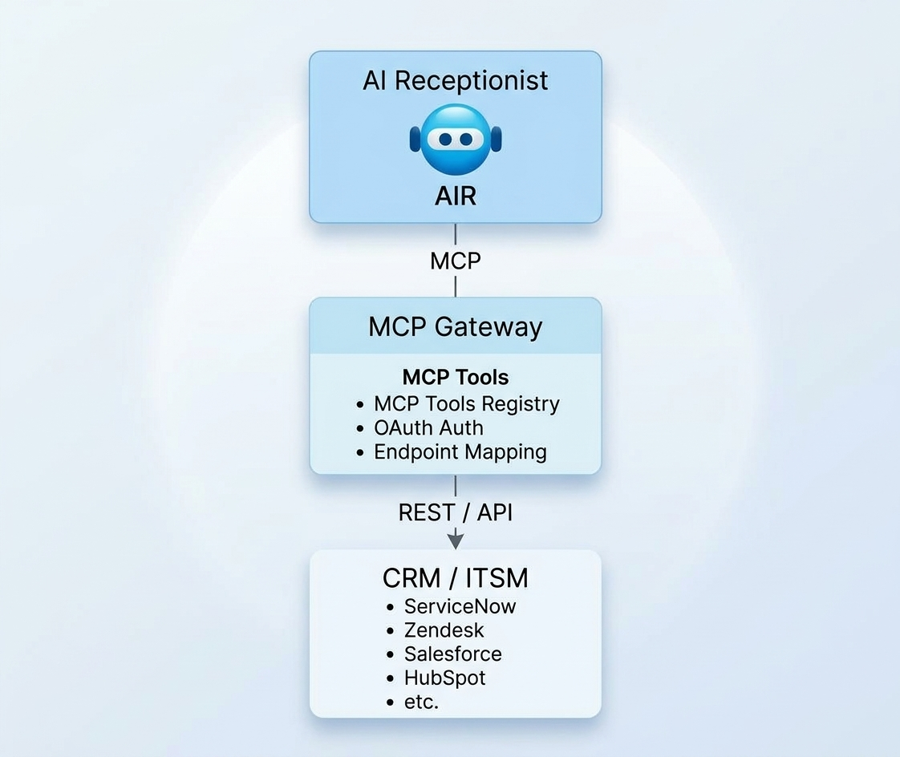
Customer-side prerequisites. The customer must provide either a native MCP Server or an MCP Gateway exposing the required tools, plus the connectivity and credentials to reach the CRM/ITSM platform.
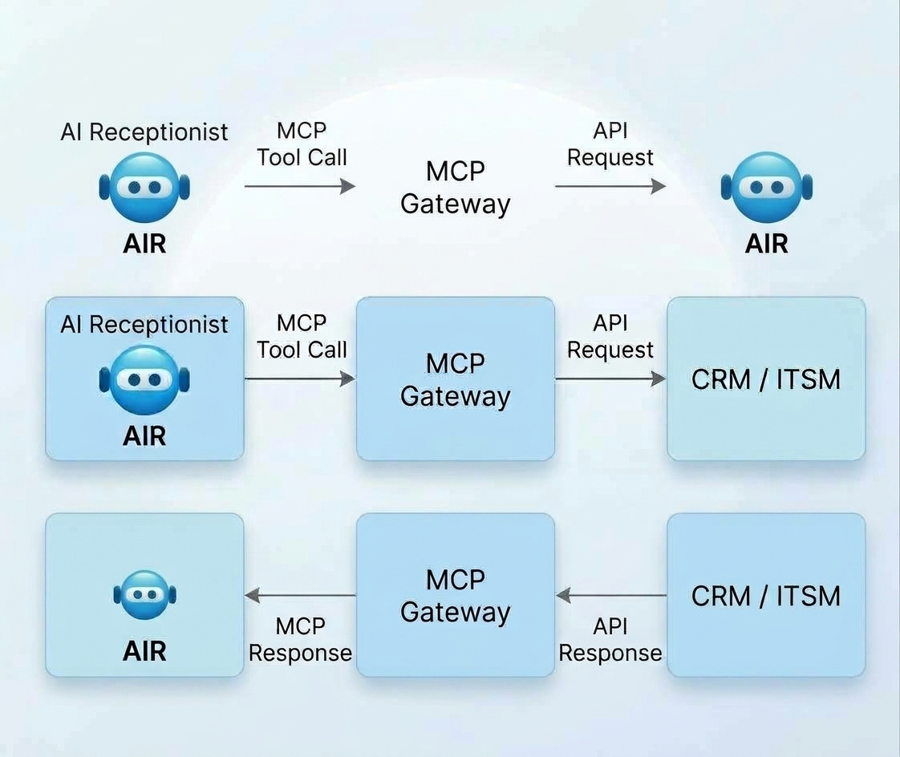
How the gateway processes a request:
-
Receives the MCP tool call from AIR.
-
Validates and processes the requested operation.
-
Translates it into the CRM/ITSM API request and sends it.
-
Processes the API response.
-
Returns the result to AIR through MCP.
Each MCP tool represents one capability of the external system. Only the operations the use case needs should be exposed – not every platform function.
Gateway endpoint parameters
|
Parameter |
Description |
|
MCP Gateway URL |
Endpoint AIR uses to reach the gateway |
|
Authentication |
Mechanism required by the gateway |
|
Server / Integration name |
Identifier of the MCP integration |
|
Available tools |
MCP functions exposed to AIR |
|
Transport / protocol settings |
Communication settings of the MCP implementation |
Authentication, tools and data mapping
Authentication must match what the MCP endpoint and the target platform support: API Key / Bearer Token, OAuth 2.0 Client Credentials, OAuth 2.0 with PKCE, or another supported mechanism. The credentials must grant enough permissions for the required operations and must never appear in screenshots, documentation, logs or customer-facing examples.
Typical MCP tools (tool names are just examples; actual names and parameters depend on the MCP Server/Gateway):
|
MCP tool |
Purpose |
|
find_user |
Identify a customer or user |
|
get_customer |
Retrieve customer information |
|
search_records |
Search CRM/ITSM records |
|
get_record |
Retrieve an existing record |
|
get_record_status |
Retrieve the status of a record |
|
update_record |
Update an existing record |
|
create_record |
Create a new record |
Example: to identify a caller, AIR invokes find_user with {"phone": "+39XXXXXXXXXX"}. The gateway turns it into the matching CRM API request and converts the CRM response back into an MCP response for AIR.
Data mapping links AIR data to MCP parameters and CRM/ITSM fields. Field names and payloads are platform-dependent, so the mapping follows the target platform's API and data model.
|
AIR data |
MCP parameter |
CRM / ITSM field |
|
Caller phone number |
phone |
Business phone |
|
Caller name |
name |
Customer name |
|
Customer ID |
customer_id |
Customer / Account ID |
|
Record ID |
record_id |
Case / Incident / Ticket ID |
|
Record status |
status |
Case / Incident status |
AIR configuration and end-to-end flow
Once the native MCP Server or gateway is available, the integration is configured in AIR with its endpoint and tools. The AI agent then uses the tools within the conversational workflow, invoking one only when the configured use case requires it.
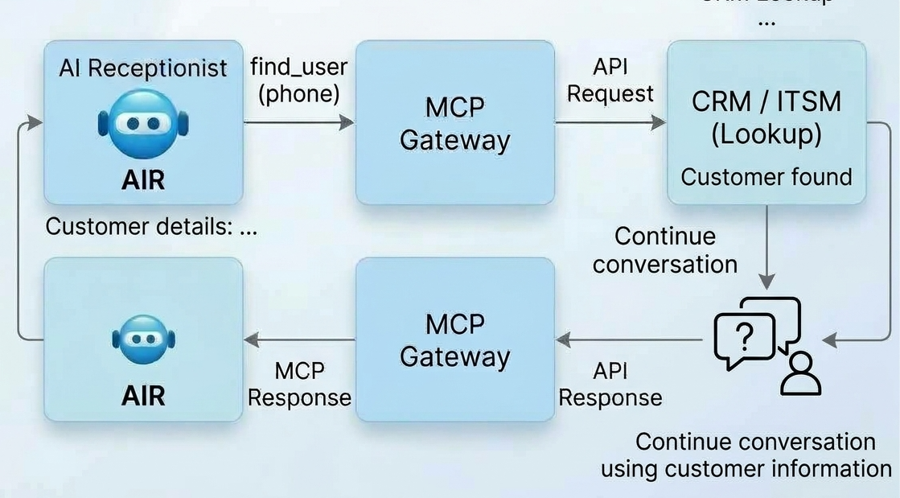
End-to-end flow in 8 steps:
-
Incoming call – the caller contacts AIR.
-
Information collection – AIR gathers what the operation needs (phone, customer ID, name, case or incident number).
-
Tool invocation – AIR calls the appropriate MCP tool.
-
Gateway processing – the gateway receives and processes the parameters.
-
API request – the gateway sends the translated request to the CRM/ITSM API.
-
Platform response – the CRM/ITSM returns the data or operation result.
-
MCP response – the gateway converts it and returns it to AIR.
-
Conversation continues – AIR uses the result with the caller.
Testing, troubleshooting and use cases
Before production, validate the whole path: connectivity (AIR reaches the MCP endpoint), authentication (credentials valid, permissions sufficient), each MCP tool (parameters accepted), the gateway-to-CRM/ITSM API call, response validation (AIR can interpret the result), and a full end-to-end test call: Caller → AIR → MCP tool → Gateway → CRM/ITSM → Gateway → AIR → Caller.
Common issues
|
Issue |
Possible cause |
|
AIR cannot reach MCP endpoint |
Network / endpoint configuration |
|
Authentication failure |
Invalid or expired credentials |
|
Tool not available |
Tool not exposed by MCP Server/Gateway |
|
Invalid parameters |
Wrong MCP schema or data mapping |
|
CRM API error |
Invalid request or insufficient permissions |
|
Timeout |
Network or CRM API delay |
|
Empty response |
No matching record found |
|
Incorrect data returned |
Mapping or transformation issue |
Troubleshoot from the outside in: AIR → MCP endpoint → MCP tool → Gateway → CRM/ITSM API → CRM/ITSM platform.
Generic use cases, each available only if the matching tool is exposed: caller identification by phone number; customer, account or contact retrieval; lookup of existing cases, incidents or requests; reading a record's status for the caller; updating an existing record; creating a new record.
Example – ITSM ticket / incident creation. The caller describes an incident; AIR calls a tool, the gateway sends the API request, the platform creates the ticket and returns its ID, and AIR gives the caller the reference number.
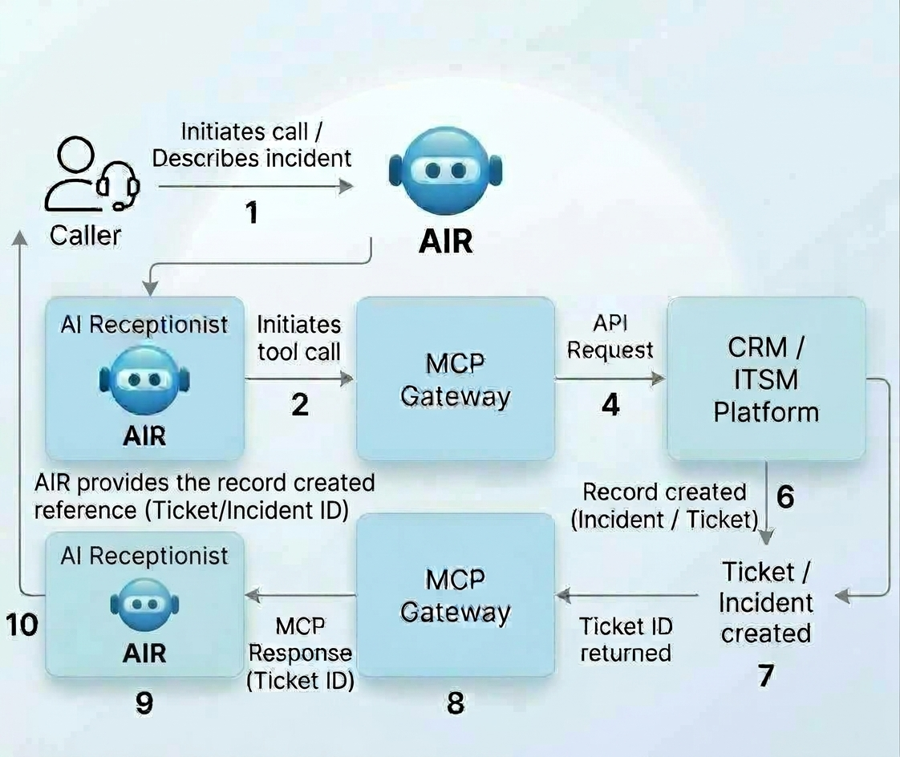
The gateway can map a generic create_record to the right API operation of platforms such as ServiceNow or Zendesk. Fields, API calls, tool names and responses are platform-specific and should be documented separately.
Security and architecture summary
Security practices
-
Use HTTPS for all external communication.
-
Protect API keys, client secrets and tokens; never show them in screenshots or documentation.
-
Grant the minimum permissions the integration needs and rotate credentials per the customer's policy.
-
Validate MCP tool parameters before forwarding them to the CRM/ITSM API.
-
Expose only the MCP tools the business use case requires.
-
Follow the security and data-protection rules of the customer's CRM/ITSM environment.
Architecture summary. The MCP layer gives AIR one standard way to use CRM/ITSM capabilities, keeping each platform's implementation behind the MCP interface. The same design applies to any CRM or ITSM platform for which the needed MCP tools and API integrations exist.