
This important web page included into UCX Cloud Suite’s Administration menu, allows administrators to access the details of the deployed UCX Cloud Suite release, including enabled licenses.
From this web page, the admin can directly open a Tech Support case and provide all required data for troubleshooting.
When you hit Support from ADMIN menu, the following page appears:
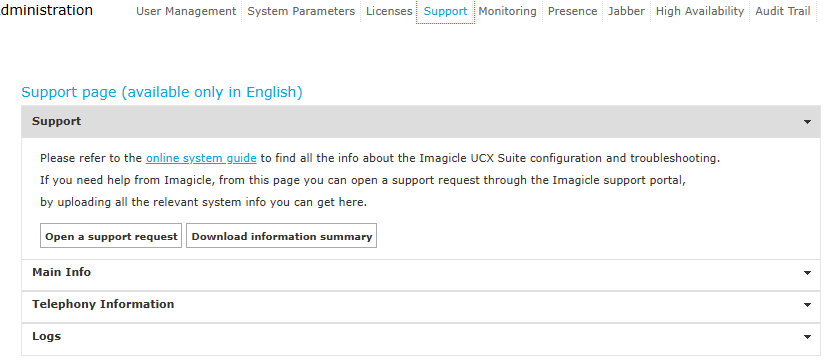
As you notice, this page includes 3 sections, described in below paragraphs:
Support
This section includes a link to Imagicle online Knowledge Base (you are in it now) and it includes a button to open a support request. This button redirects to Imagicle Help Center web site, from which you can open a new case. Before doing so, please make sure you have an ongoing ImagicleCare maintenance plan subscription, otherwise you are not entitled to contact Imagicle Support.
When you open the case, please provide a detailed problem description and attach the Information Summary downloaded from this section. These details are already included in any log file.
Main Info
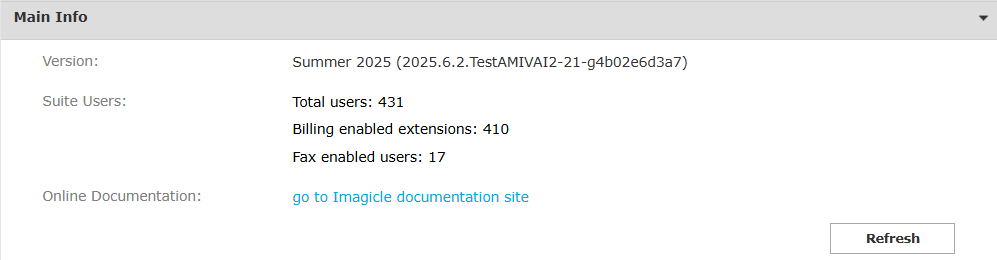
This section displays same UCX Suite summary data you can download from previous section. As you can see in below sample, it includes the following details:
-
UCX Suite release
-
Licensed applications
-
Imported/configured users
Telephony Information
This page is relevant to Cisco UCM integration only. It displays PBX End Users and phone devices counters retrieved by Imagicle Application User via AXL protocol.
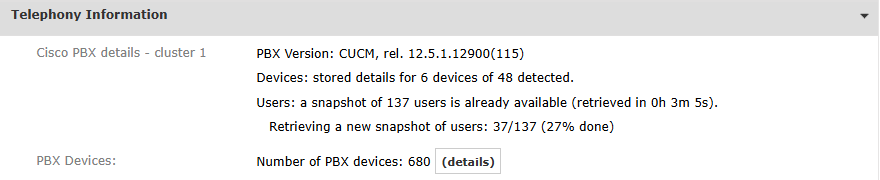
Imagicle UCX Cloud Suite continuously polls Cisco UCM to retrieve users and devices, so if you periodically refresh this section, you can monitor in real-time the amount of retrieved users/devices.
The detailed list of all retrieved Cisco Phone Devices is accessible by clicking on (details) button:
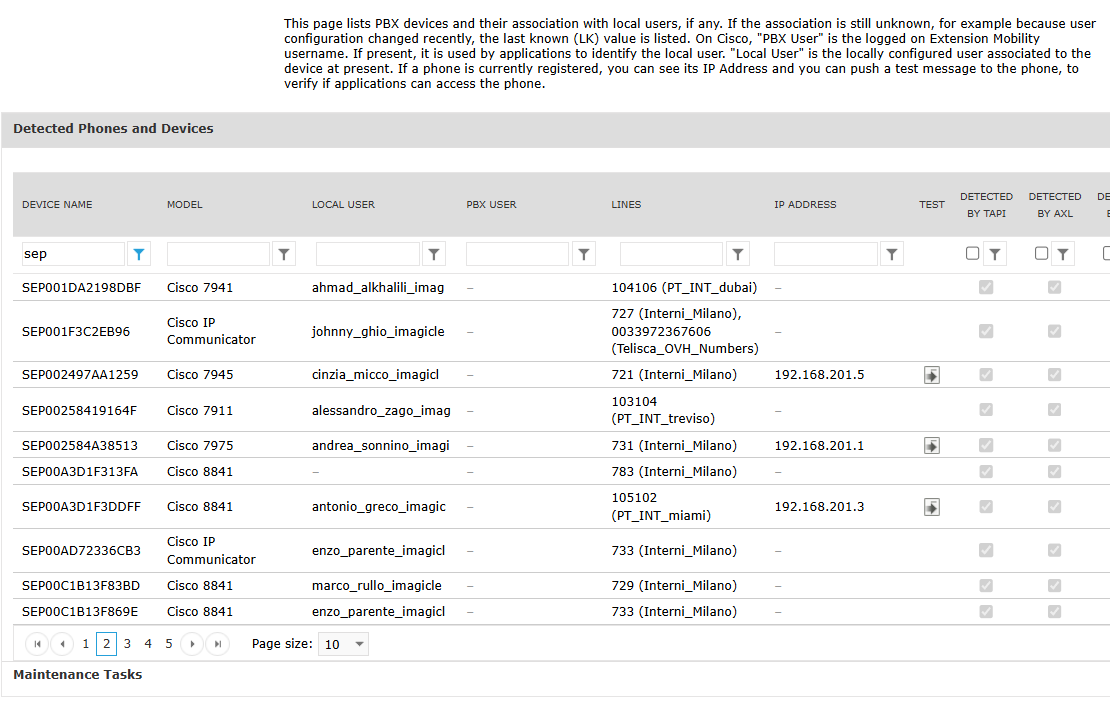
This list shows the proper correlation between CUCM (PBX) username and Imagicle local user, together with http reachability (TEST button) and AXL/TAPI detection.
A Maintenance Tasks section allows to manually clean-up above phone devices list and restart devices collection from scratch.
Logs
If you are encountering any type of issues related to Imagicle UCX Cloud Suite applications and services, you can access to this section:

Download logs
If you manage to replicate the problem, you can download logs by selecting the application under investigation, together with the date when problem occurred.
When you open the Tech Support case, please attach collected logs ZIP file. Moreover, please provide a problem description including, if possible, the exact time of problem occurrence.
Please note that ZIP file can’t be opened by leveraging embedded unzip Windows feature. Imagicle decided to provide logs in this format for expert staff usage only, avoiding logs consultation by unskilled personnel.