
In Imagicle Digital Fax KB we illustrate both ways of routing fax calls from/to Webex Control hub, based native Webex Workspaces or SIP Route List.
Both options work smoothly and are very reliable. Nevertheless, Imagicle suggests to adopt the alternative Webex Trunking solution, because it provides the following undisputable advantages:
-
No Workspace required for each fax DID
-
No Customer Managed Device provisioning
-
Easier fax DIDs management
-
Better scalability for multi-site deployments
-
No limit on the number of fax lines associated to each Customer Managed Device
-
Centralized routing using Route Lists and Route Groups
If your Webex architecture is leveraging on-prem PSTN (local CUBE) or Cloud-Connected PSTN, you can follow below described procedure to easily migrate from Native Workspaces to Webex Trunking SIP routing. Webex Calling Plan architecture is not supported.
Migration procedure
Before starting, please bear in mind that Webex Trunking configuration requires a Route List license for each Imagicle Digital Fax channel in place. Please check Cisco web site for more details here.
Route Lists in Webex Calling are lists of numbers reachable through a Route Group. Each Route List is exclusively assigned to a location that supports up to 40,000 unassigned numbers from the hosted pool.
If the customer has an Enterprise Agreement, they should already have Route List licenses for 25% of their total users.
Route Lists in Webex Calling are lists of numbers reachable through a Route Group. Each Route List is exclusively assigned to a location that supports up to 40,000 unassigned numbers from the hosted pool.
If the customer has an Enterprise Agreement, they should already have Route List licenses for 25% of their total users.
What Changes During Migration
Existing Components Removed
-
Customer Managed Devices
-
SIP Trunk
-
Workspace fax assignments
New Components Added
-
SIP Trunk
-
Route Groups
-
Route Lists
SIP Trunk creation
The SIP trunk is created by following the first part of this KB. Just bear in mind that each Route List is associated to a single Location. If you need to route Fax DIDs in different Locations, then you must define multiple Route Lists by Location, while there’s no need to define multiple trunks or multiple trunk groups.
Fax numbers relocation
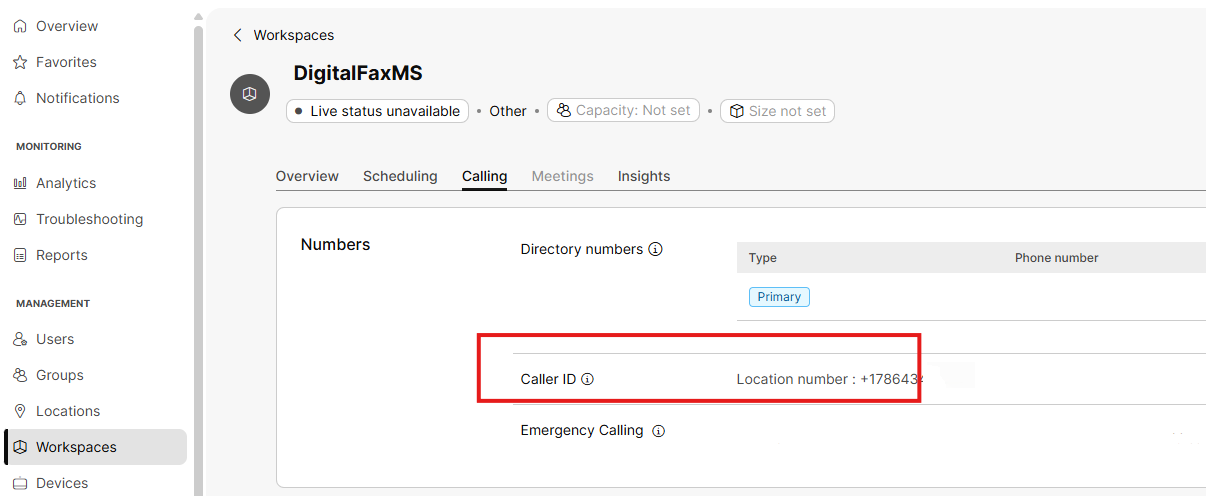
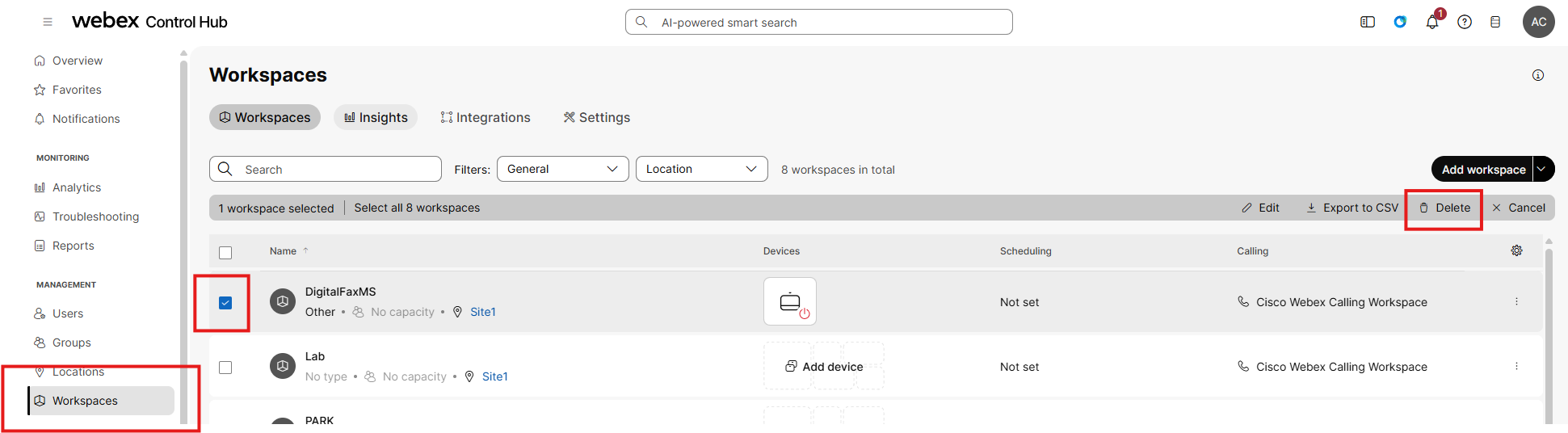
Each fax number is currently associated to a Workspace. To move it to a route list, you first need to delete the Workspace. Before deleting the Workspace, don’t forget to take note of the fax number associated to it. This is available in the “Calling” section: See below:
To delete the Workspace, see below screenshot sample:
Now you can reassign the fax number to a new or existing Route List:
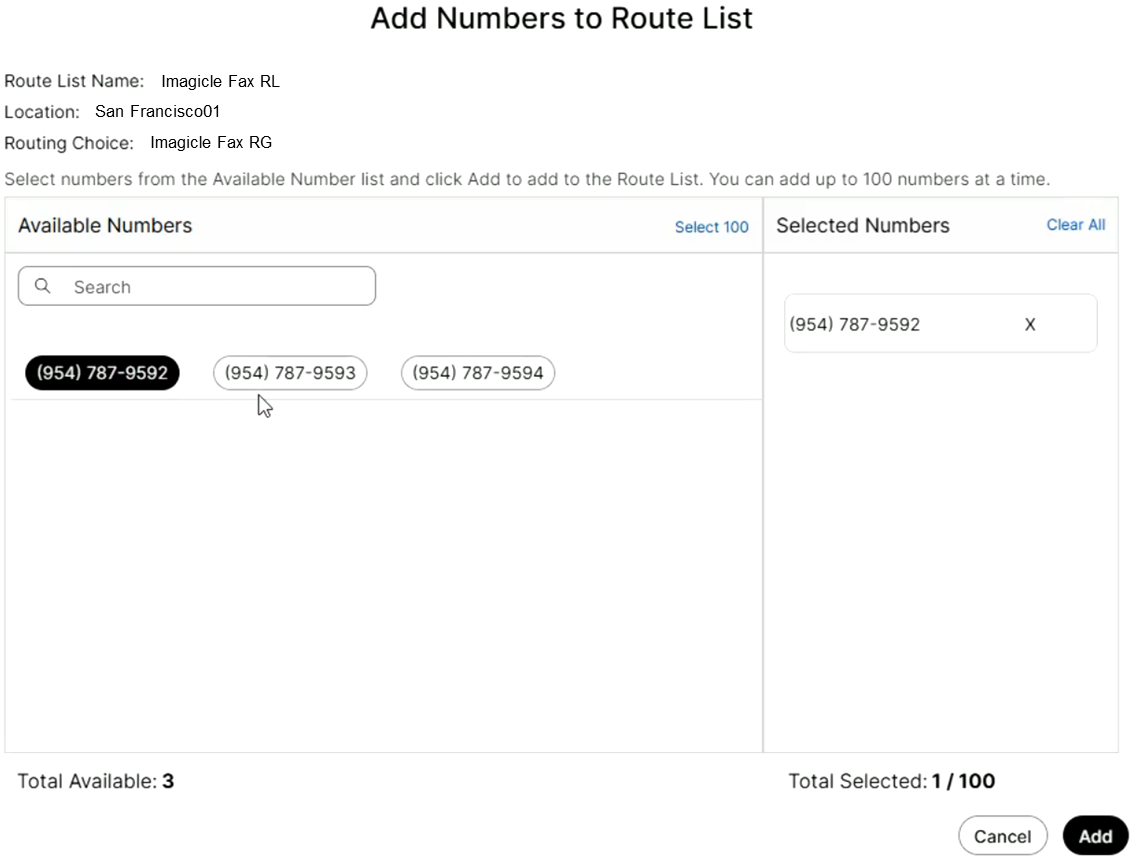
Just repeat same procedure for each fax number in use.