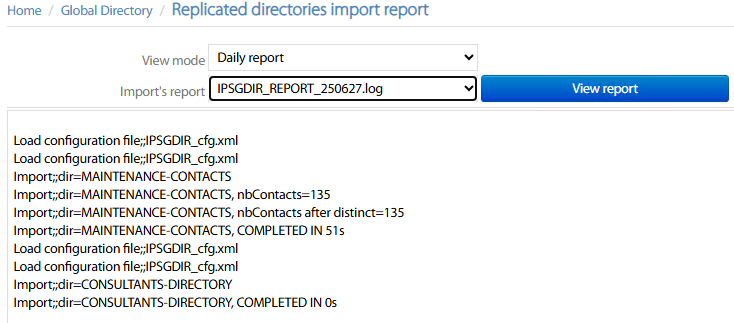
This menu option allows to view and trigger directories import for all configured replicated directories.
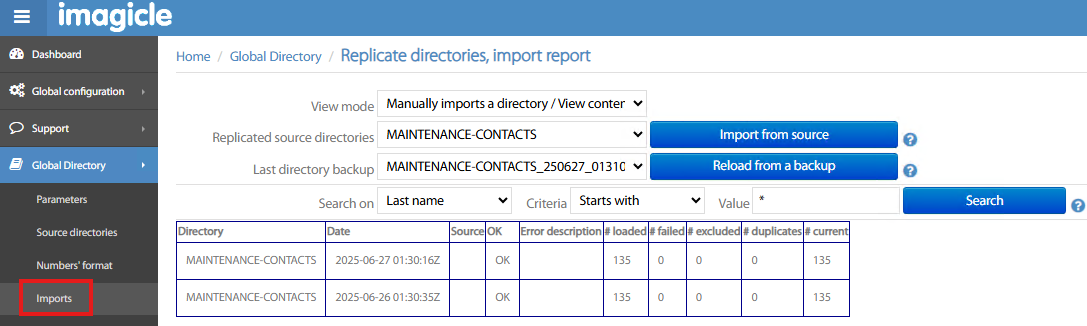
The following options are available within View mode pull-down menu:
-
Manually imports a directory / View contents:
-
You can select a Replicated source directory from relevant pull-down menu and hit Import from source to trigger the contacts import.
-
You can restore a directory, by selecting Last directory backup from pull-down menu and hit Reload from a backup button.
-
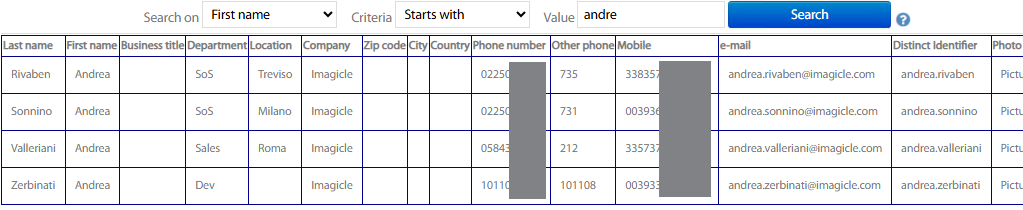
You can search for imported contacts by compiling relevant criteria and hit Search button to display results. See below sample:
-
-
Last replication by directory → You can select a Replicated source directory from relevant pull-down menu and display the last replication tasks, including number of imported contacts and the outcome.
-
Chronological history of replications → It displays all last replication tasks, of all replicated directories, including number of imported contacts and the outcome.
-
Daily report → You can select a daily log from relevant pull-down menu and hit View report to display imports log. See below sample: