
Providing a Compliance and AI Quality Recording - AI Insights license profile is in place, you can access a specific menu item identified with the Alarms icon 
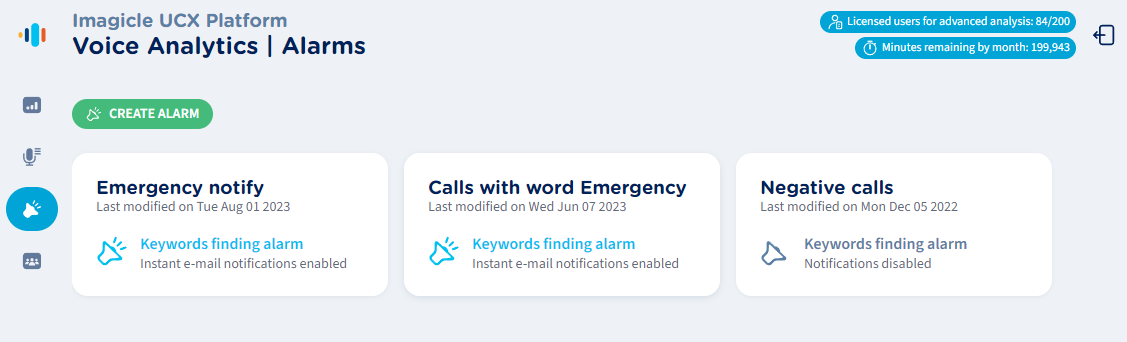
From this page, an Administrator can create, review, or delete own alarms.
Create a new alarm
By clicking on green “CREATE ALARM” button or by editing an existing one, the following pop-up windows appears. See below samples:
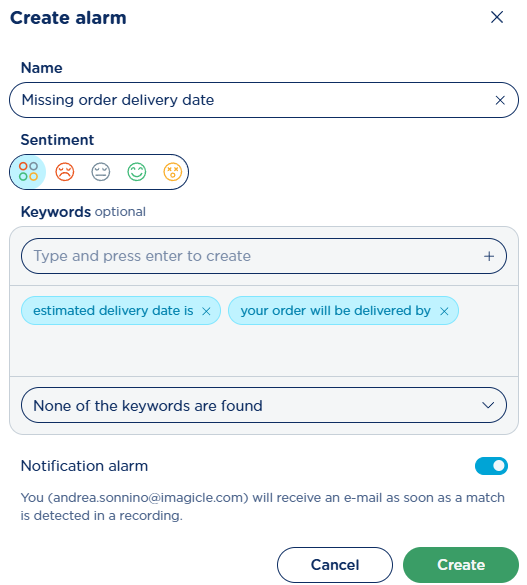
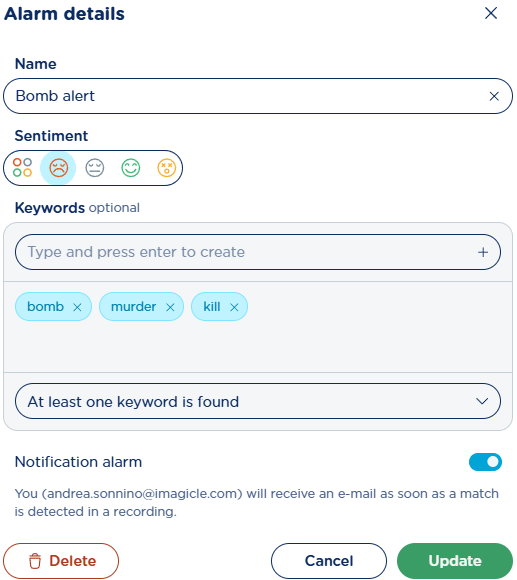
Please enter an Alarm Name (mandatory), toggle “Notification alarm” switch to enable email notifications and select one or multiple sentiment moods where you need to get an alert, or just leave the default “All sentiments” option ( 
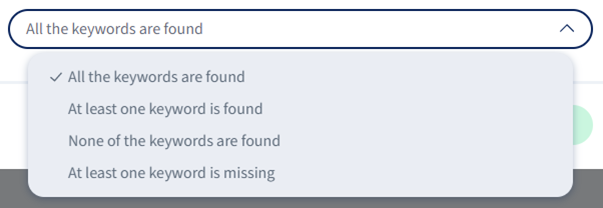
You can also choose how keywords/sentences are matched within transcribed conversations, by selecting desired matching criteria from relevant pull-down menu:
Minimum keyword length is two characters and it can’t be duplicated. Search is case insensitive.
It is not possible to add space(s) at the end of a keyword or sentence.
If you are transcribing English or German conversations, you can enter numeric values into keywords/sentences and they are correctly matched. This is not true for other languages, like French where “2” is different than “deux”.
Alarm notification
If there’s a match at sentiment level or keywords/sentences level, then an email notification is sent to the Administrator who entered the alarm. Two typical email notification samples are shown below:
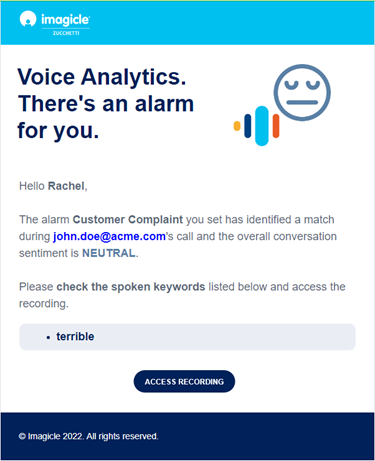
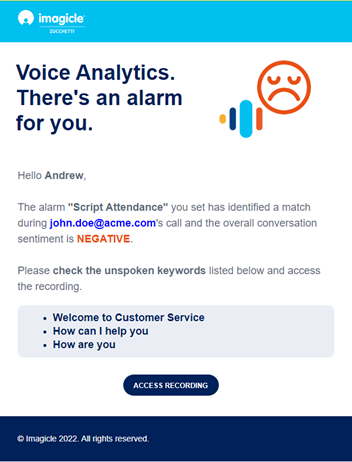
If multiple alarm rules are matched (also within same conversation), you respectively receive multiple email notifications.
You can click on “ACCESS RECORDING” button to open Compliance Recording web portal to the Recording Transcription page, related to involved recording.