
Imagicle UCX Console, any thick client version, provides the access to the directory of internal contacts (Colleagues tab) and external contacts (Contacts tab).
Colleagues tab displays the list of Imagicle users, typically synchronized against an external source.
Contacts tab includes external contact entries coming from the following sources:
-
A shared department directory, manually fed by all operators (does not require additional licenses)
-
A personal directory, manually fed by each operator (does not require additional licenses)
-
Local contacts coming from MS-Outlook email client, installed on operator’s PC
-
Favorites entries manually added by each operator.
Contact Manager directories
If the Imagicle Contact Manager license is in place, Contacts tab includes the following additional entries:
-
Contacts included in all Public directories (excluding “Local Contacts” users directory)
-
Contacts included in the Department directories corresponding to operator’s own dept.
-
Contacts included in Personal directories defined and fed by each operator.
Wherever the internal or external contact is included, Imagicle UCX Console performs a phone number lookup in own directory entries upon an inbound call. If a match is found, relevant Caller ID is displayed: name, surname, company.
Local contacts look up (up to 2026.Winter.1 release)
Old UCX Console client version includes a generic connector allowing to search for contacts coming from multiple Excel, Access, Active Directory, ODBC-based database sources. See below:
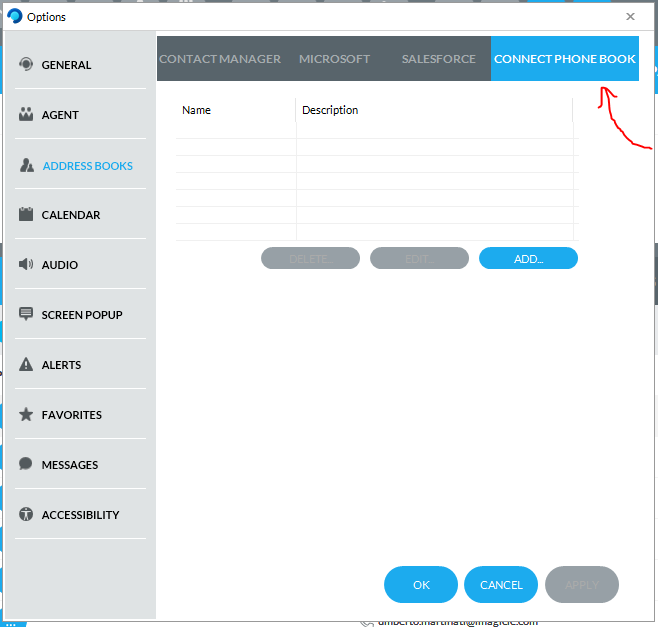
This feature, used by few operators, leverages a MS Access Database Engine installed into operator’s workstation. This engine is EoS by Microsoft and therefore Imagicle decided to dismiss this generic connector from 2026.Winter.2 client version and above.
How to migrate existing local contacts
Before updating your UCX Console client, you can add above contacts into an existing Contact Manager directory by leveraging the CSV import feature. See below:
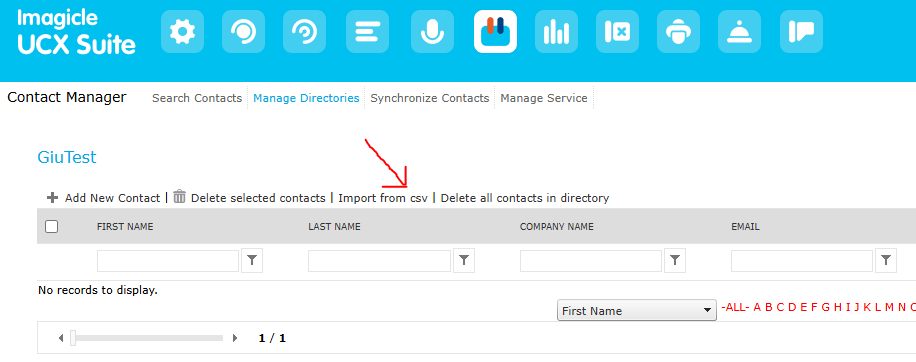
Even without the Imagicle Contact Manager license, you can still feed these local contacts into the shared directory or personal directory.
Managing contacts without a valid Contact Manager license
The usage and management of directories and contacts without a valid Contact Manager license is permitted only for a limited set of operations focused on console client activities.
Following more details.
Attendant Console usage
For Imagicle suites that do not have a valid Contact Manager license, agent and attendant console users can manage contacts, albeit with some limitations. Basically, they only have access to the following capabilities:
-
Search colleagues
-
Search and edit contacts of a single personal directory. If a private directory does not yet existing for the AC operator user, one named “Personal Contacts” is automatically created at the first console login.
-
If user belongs to a department, he/she can search and edit contacts of a single department directory in his/her department. If a such directory does not yet exist, one named “Shared Contacts” is automatically created at the first console login.
-
Caller identification by phone number.
Managing directories from web portal
Private and department directories created automatically by the mechanism explained above can be edited in bulk via CSV file. As usual, department directories are editable by users having access level 6 (department manager) or higher for Contact Manager.
When a valid Contact Manager license is missing, also the following limitations apply:
-
you cannot create new directories.
-
You cannot synchronize existing directories with external sources.
Trial expiration
-
Directories defined during the trial/evaluation period will not be deleted. Contacts will keep being searchable from the Imagicle console.
-
Public directories created during the trial or evaluation period cannot be edited anymore, even from the AC client.