
AI Agent Scoring
AI-assisted Agent Scoring helps supervisors compiling evaluation forms faster by suggesting answers from the recording transcript.
Instead of filling every unanswered question manually, supervisors can ask the AI to analyze the conversation and generate answers when the transcript provides enough evidence. Supervisors can review and edit generated answers before submitting the evaluation.
This optional feature must be enabled by a tenant administrator by hitting relevant menu item from Call Recordings Settings page. When relevant menu item is selected, the following window pops-up:
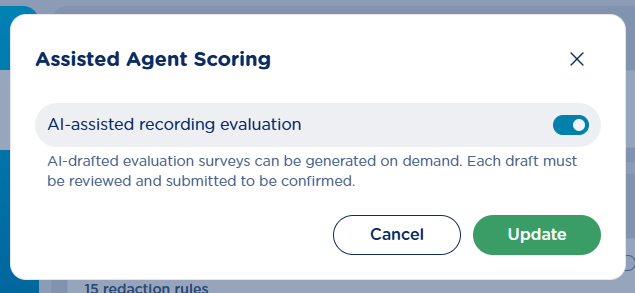
Just toggle the switch and hit Update.
Recordings Page
When reviewing a recording, supervisors can evaluate the performances of the agents by compiling, from the evaluation panel, any of the pending evaluation forms. This is explained here.
With Recording AI Insights license profile, each scorecard in the survey includes on top-right a 
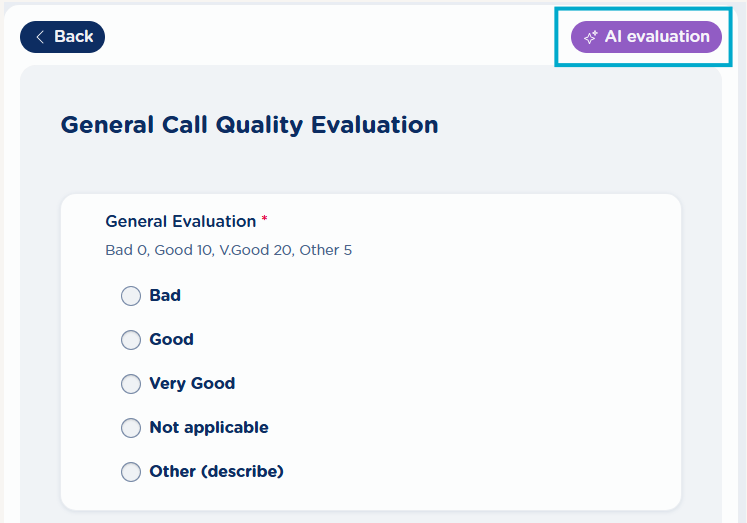
The supervisor can submit AI-based scoring or can decide to view AI suggestions and amend the evaluation based on own experience and agent’s knowledge level.
If all AI-based evaluations are accepted by the supervisor and eventually submitted, they will be tagged as “Answered with AI”, like below sample:
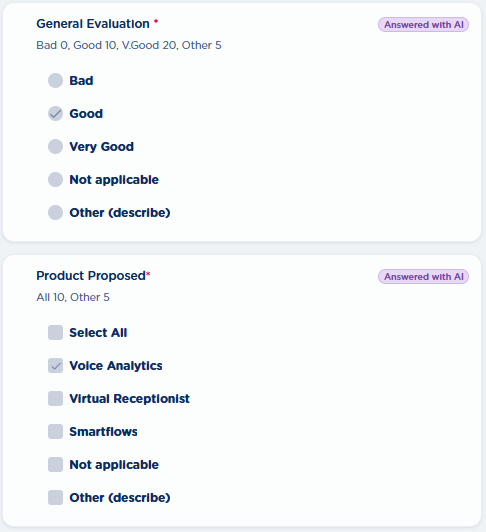
Supervisors are encouraged to review every AI-based answer before submitting the evaluation. If an AI-generated answer is manually edited before submission, it is no longer considered AI-generated and its AI tag is removed.
Short videoclip