
Applies to:
Imagicle UCX Suite, any version
Description:
How to set maximum fax rate (in bps) of modems in Digital Fax service for incoming/outgoing faxes
How-to:
-
Access UCX Suite server via RDP
-
Run Registry Editor (regedit)
-
Go to HKEY_LOCAL_MACHINE\SOFTWARE\Microsoft\Fax\TAPIDevices
-
For every "Modem" folders change these parameters
-
ModemRecvSpeeds (11 is default value = 14400bps)
-
ModemSendSpeeds (11 is default value = 14400bps)
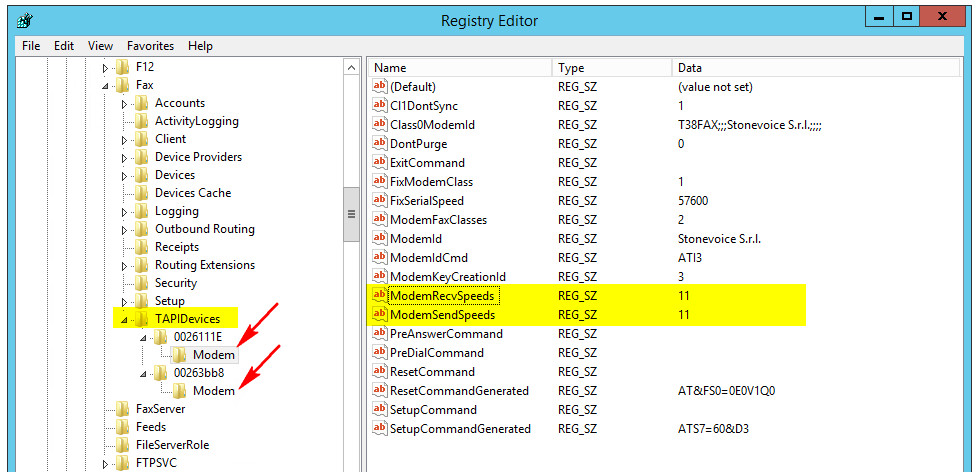
Save and restart Digital Fax service from web interface.
Possible values are:
-
To limit the speed at 9600 bps set the value to 3.
-
To limit the speed at 4800 bps set the value to 2.
-
To limit the speed at 2400 bps set the value to 0.