
Description:
Starting from 2021.Winter.1 release, the proprietary TCP connection between Imagicle UCX Console client and UCX Suite server can leverage TLS 1.2 encryption. If a self-signed Digital Certificate is used, then the same Certificate must be installed in both server and client side.
How-to:
-
Please copy your Digital Certificate in pfx format on your PC where UCX Console client is installed. You can obtain the correct Certificate by exporting it from UCX Suite server: IIS Control Panel ⇒ Server Certificates ⇒ Export.
-
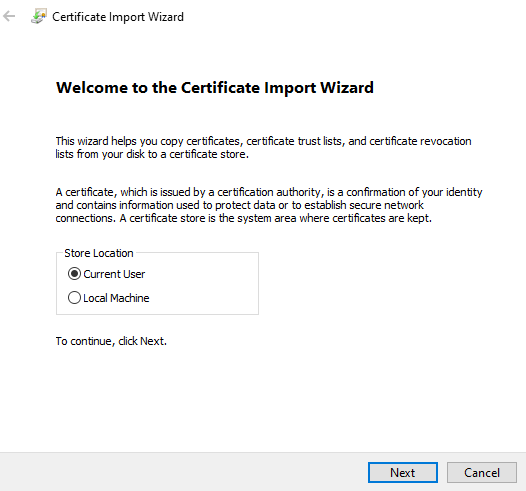
Double-click on Certificate to launch the import wizard.
-
You can choose to install the Certificate for current user only, or for whole local workstation. Hit Next to continue.
-
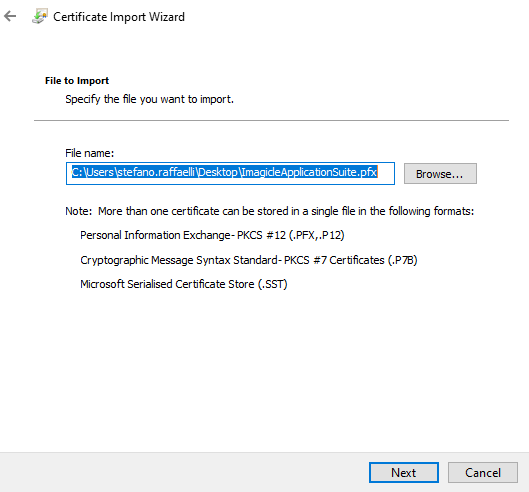
Certificate path appears. No need to change it. Just hit Next to continue.
-
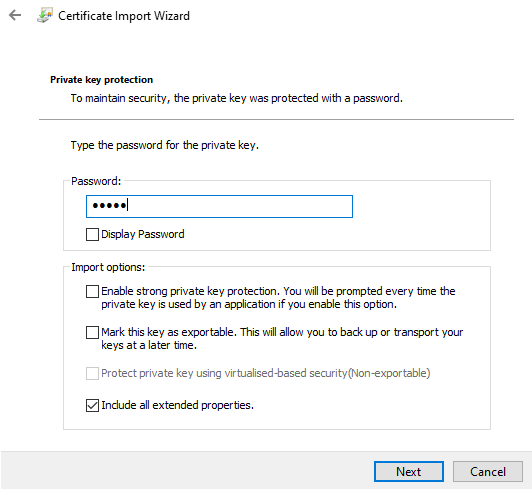
Enter here the password which has been used during Certificate export. Hit Next.
-
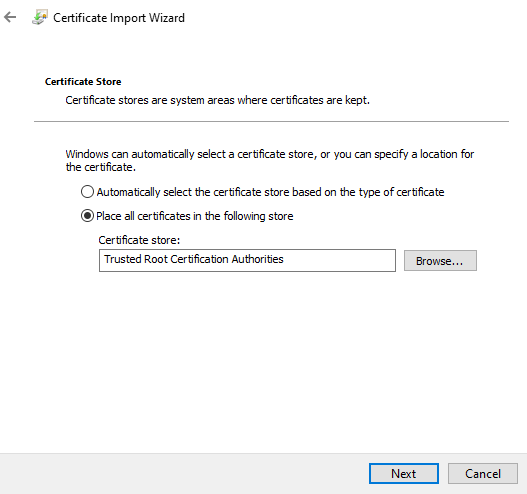
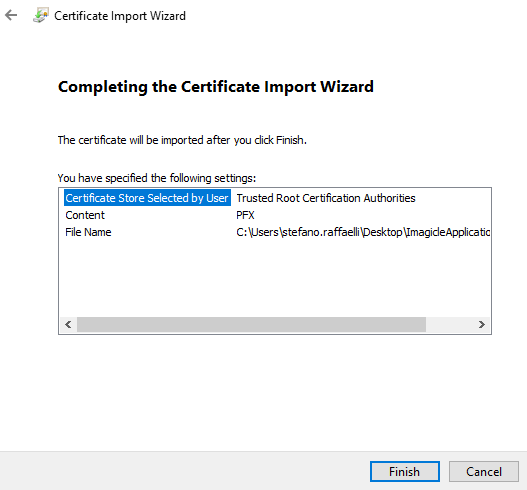
Please choose to save the Certificated into Trusted Store. Hit Next to continue.
-
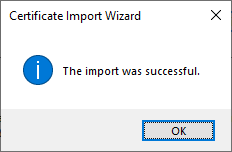
Summary page is displayed. Please hit Finish to complete the import procedure.
-
If you get an error message, please check your Digital Certificate with your IT administrator.