
Description
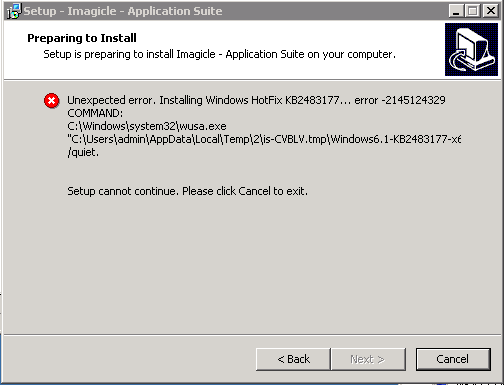
Installing Application Suite we got the error:
Unexpected error installing Windows Hotfix KB2483177...error -2145124329 )
COMMAND:
C:\Windows\system32\wusa.exe
...
As in the below screenshot:
Cause
Desktop Experience Feature not installed
Solution
Install Desktop Experience
To install Desktop Experience:
-
Click Start, point to Administrative Tools, and then click Server Manager.
-
In Server Manager, click Features, and then in the Server Manager details pane, under Features Summary, click Add features.
-
The Add Features Wizard starts.
-
In the Features list, select Desktop Experience, and then click Install.
More info: https://technet.microsoft.com/en-gb/library/cc754314(v=ws.11).aspx